



Abstract
In this column, I describe a composition activity that involved students in the International Baccalaureate Middle Years Programme using GarageBand for Mac to explore the musical element of texture.
Keywords
This is not the first time I have discussed the benefits of GarageBand for composition activities in general music. In a previous article for this journal, I discussed how GarageBand for iOS can be used as both a compositional and pedagogical tool in elementary music classes (Norman, 2021). In a recent column, I discussed how a student studying the International Baccalaureate (IB) Diploma Programme used GarageBand for Mac to create a soundscape composition for her experimentation report (Norman, 2023). In this column, I describe a composition activity, which involved students using GarageBand for Mac to explore the musical element of texture. This activity was designed and implemented within the framework of the IB Middle Years Programme (MYP).
As noted in the literature, the middle years of school is a period in which it can be challenging for teachers to keep students engaged and motivated in their learning (Carrington, 2006; Main & Pendergast, 2020). In my teaching practice, I have found that carefully constructed learning activities that utilize educational technology have significant potential to engage all learners regardless of their prior level of music education. Traditional music composition tasks that require students to notate their musical ideas on the staff often place those students who have had little formal music education at a disadvantage. These tasks may also lack authenticity and “real-world” significance and are often not reflective of students’ everyday musical experiences in popular culture. This is where GarageBand offers significant potential to bridge the gap between students who have a high degree of music literacy with those who have never learnt how to play a musical instrument or read music notation. The activity I describe below was a summative assessment for a unit titled, Exploring the Elements of Music. The students were in MYP Year 2, which at my school are 12 to 13-year-olds.
The Composition Activity
Prior to undertaking this activity, students were introduced to the musical elements with a particular focus on texture. Students completed two listening tasks focusing on this element so that they had the required knowledge to create their own compositions. The Australian Curriculum, Assessment and Reporting Authority (ACARA) (n.d.) define texture as, “The layers of sound in a musical work and the relationship between them” (para. 1). In their compositions, students focused on both the density of texture in music (that is, the number of layers) and the roles of instruments (such as melody, harmony, rhythm, and bass). The first of two listening tasks preceding this activity involved students listening to the opening of “Chameleon” by Herbie Hancock and identifying the number of ostinato patterns heard. In the opening of this piece, the texture gradually transitions from a thin to a thick texture. The second task involved students listening to the opening of “Smoke on the Water” by Deep Purple and identifying the roles of the instruments and voice heard.
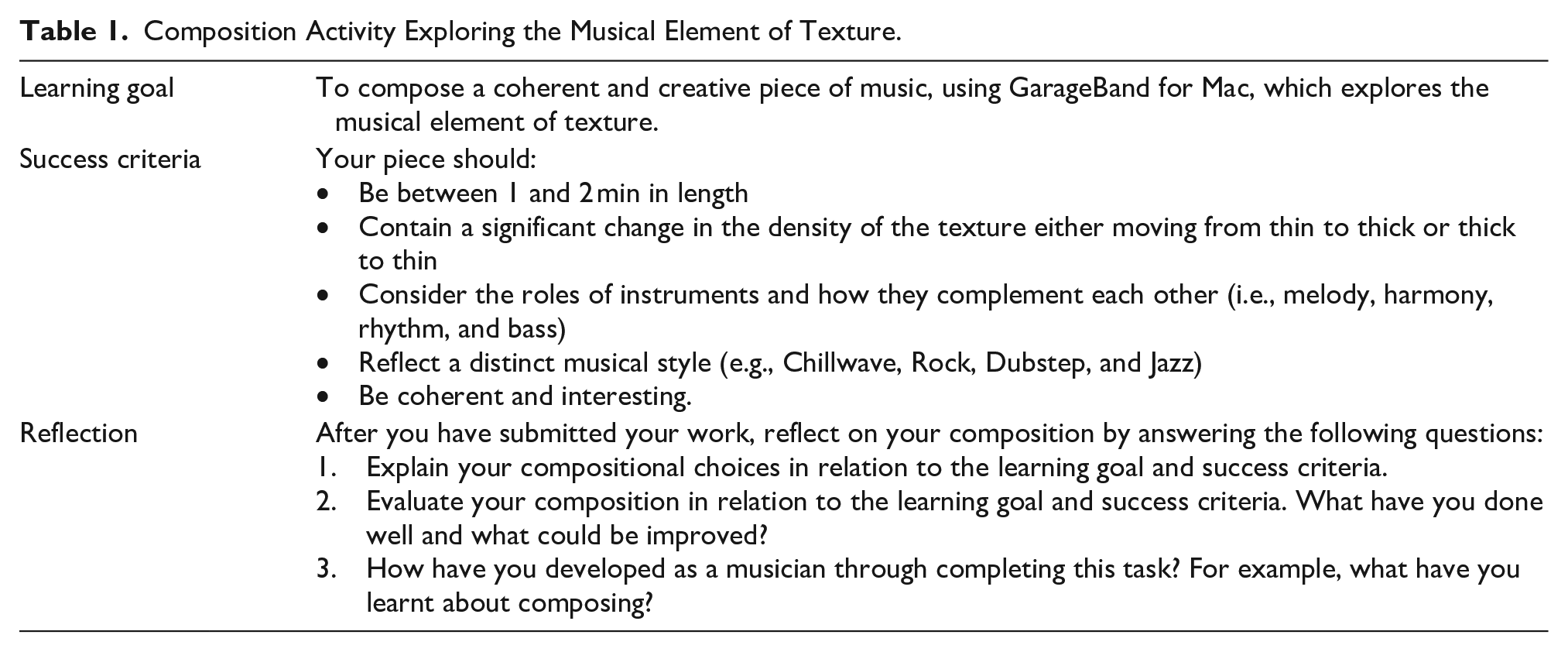
Having introduced the musical element of texture and some of its components, students were then ready to engage with the composition activity. For ease of reading, I have summarized the key features of this activity in Table 1 below.
Composition Activity Exploring the Musical Element of Texture.
To differentiate this activity, no limits were imposed on students regarding what functions in GarageBand they could use. That being said, most students exclusively used Apple Loops, which “are prerecorded musical phrases or riffs that you can use to easily add drum beats, rhythm parts, and other sounds to a project” (Apple, 2023, para. 1) (see Figure 1).
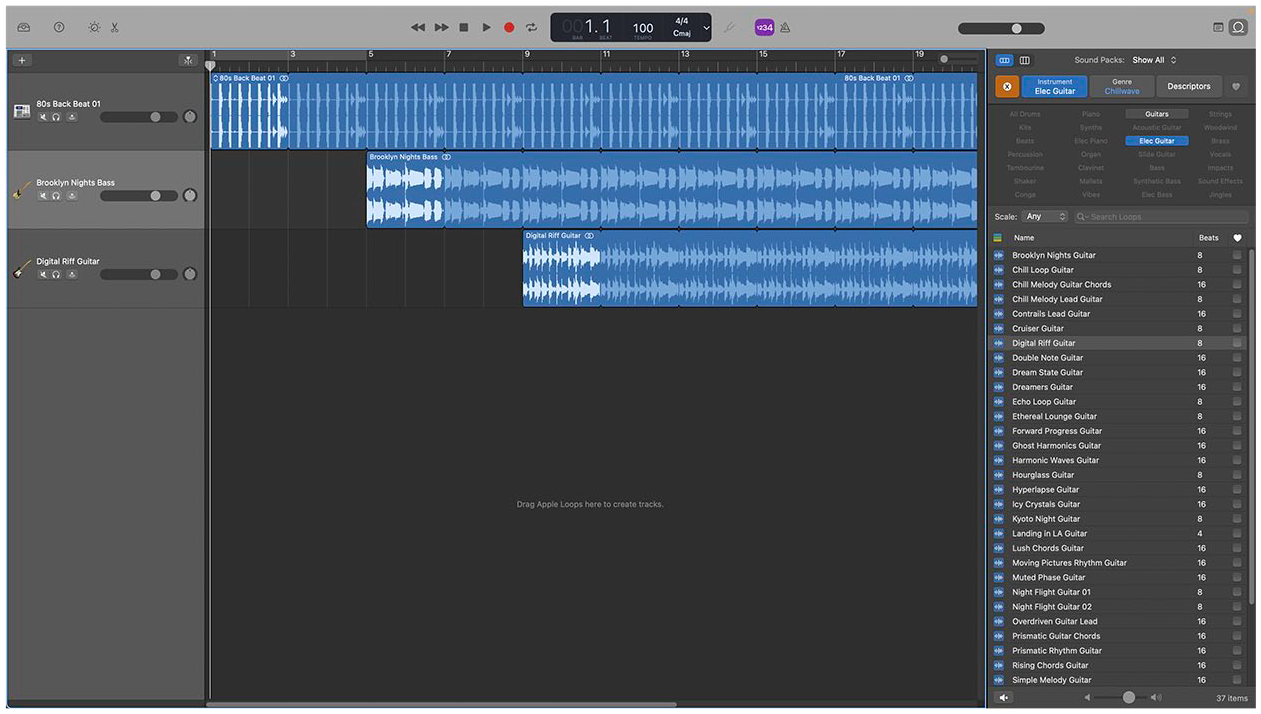
Apple loops in GarageBand for Mac.
There are tens of thousands of Apple Loops in GarageBand, and searching through these can quickly become overwhelming. Therefore, it is important to show students how to use the sound packs, instrument, genre, and descriptors search filters (see Figure 2).
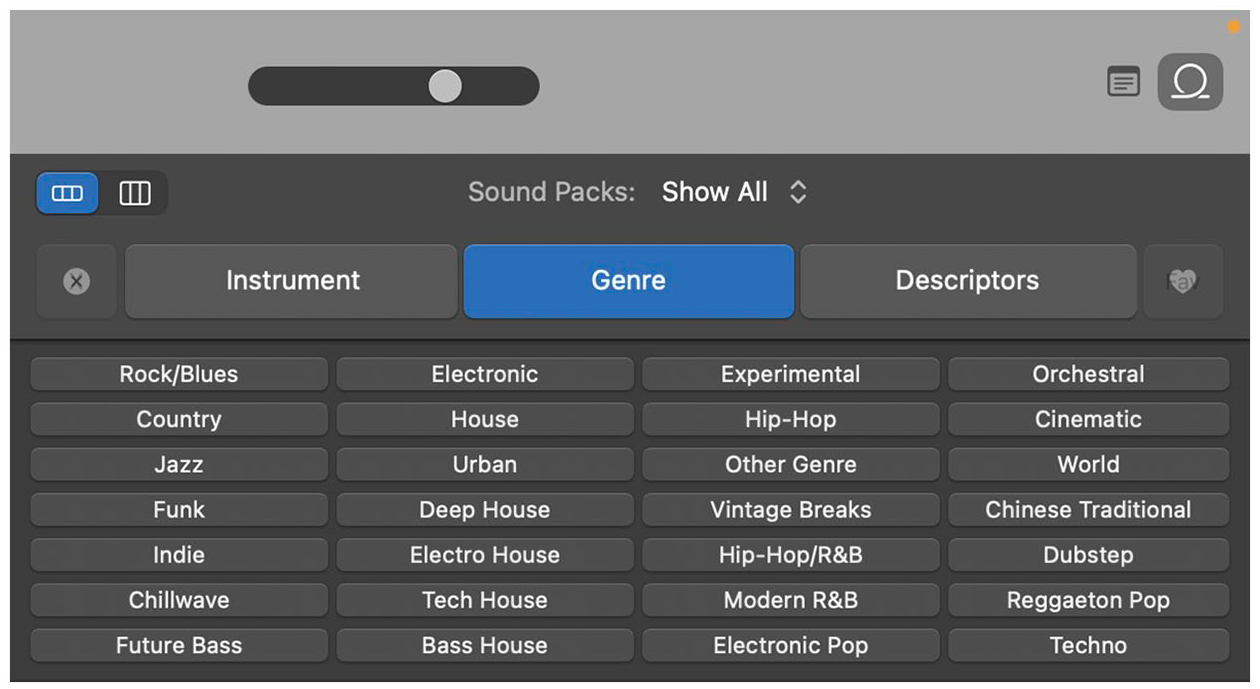
Search filters in GarageBand for Mac.
As the success criteria state that each student’s composition is to be in a distinct musical style, students must first decide what genre in GarageBand they would like to use. Once selected, it is important to model to the students how they can use the instrument filter to locate loops that reflect the various roles within a musical texture. For example, bass, synthetic bass, or elec. Bass for the role of bass and all drums or beats for the role of rhythm (see Figure 3).
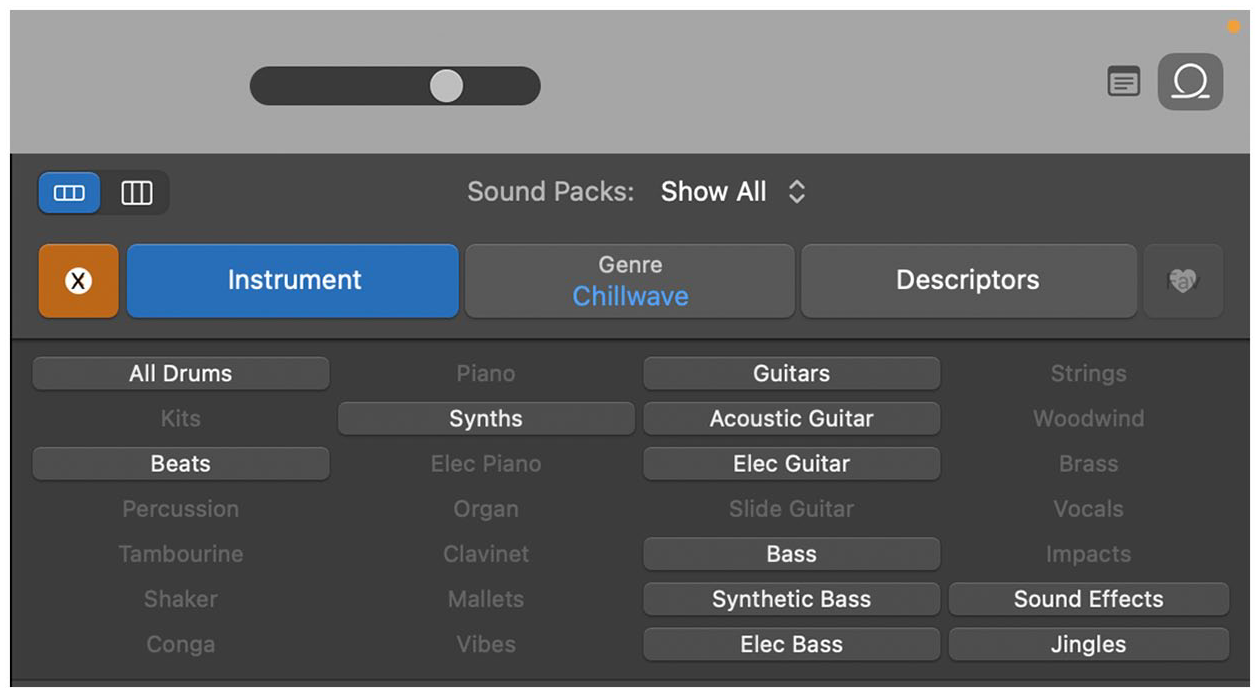
Instrument search filter in GarageBand for Mac.
When teaching this task, I ensure that I frequently bring students’ attention back to the success criteria, particularly the criterion stating that their compositions should be both coherent and interesting. In my experience, students often think that using a large number of loops is the path to success and while this might make for an interesting composition, it is unlikely to result in a coherent work.
For students seeking an additional challenge, I encourage them to use the software instrument function to record their own original loops. Using this function requires that students have a strong understanding of harmony and melody, but not necessarily music notation. It provides an additional challenge for those students who are already competent with the program and are composing at a high level. While not required, a Musical Instrument Digital Interface keyboard connection is an excellent way for students to record their own ideas in GarageBand.
While I encourage students to reflect on their compositional choices in relation to the success criteria throughout the entirety of the task, this process is formalized through a written reflection completed just prior to submission. In MYP Arts, reflection is a critical component of the course, as the two strands of Objective D: Evaluating necessitate that students “appraise their own artwork or performance” and “reflect on their development as an artist” (International Baccalaureate Organization, 2022, p. 11). Regardless of the curriculum framework used, reflection is an essential component of the creative process and should be encouraged regardless of whether it is explicitly assessed. In my context, the composition activity described above was part one of a two-part composition portfolio. However, this activity does not need to be a summative assessment and I encourage you to adapt it in whatever way you see fit to suit your context.
Conclusion
GarageBand for Mac is an application that allows students to compose in a way that connects with their musical experiences in popular culture. The activity described above fits the IB’s approach to assessment in the MYP, which “supports good classroom practice by encouraging authentic performances of understanding that call for critical and creative thinking” (International Baccalaureate Organization, 2021, p. 13). However, while designed to fit the IB MYP framework, this task is suitable for use within many school contexts. In sum, carefully constructed activities that use GarageBand for Mac can provide authentic, equitable, and suitably challenging learning engagements for all students in general music classes.
Footnotes
Declaration of Conflicting Interests
The author declared no potential conflicts of interest with respect to the research, authorship, and/or publication of this article.
Funding
The author received no financial support for the research, authorship, and/or publication of this article.
