



Abstract
The Institute of Metabolic Disease performs Supplemental Newborn screening for genetic biochemical abnormalities. A challenge facing many specialized high throughput-screening laboratories is fast, efficient data management, instrument integration, reporting, and invoicing. The Supplemental Screening laboratory operates three tandem mass spectrometry analyzers and screens samples for compounds that are not examined by typical newborn screening laboratories. The Institute of Metabolic Disease implemented NeoMate™ LIMS (Laboratory Information Management System) to streamline sample demographic entry, data entry (manual, for more specialized tests and automated entry from instruments), automatic result reporting, follow-up and invoicing. The Institute consists of six departments which include; Supplemental Screening, Tissue Culture, Molecular Diagnostics, Neuropharmacology, Neurochemistry and Mass Spectrometry. These departments have unique requirements that differed from the high-throughput supplemental screening department. This required a system that offered the flexibility to provide custom interpretations, maintaining patient histories, sample storage, and graphing of patient results. This paper will focus on the process of implementing automation from project initiation, flow charting through software installation, instrument integration, system integration and going live.
INTRODUCTION
The Institute of Metabolic Disease at Baylor University Medical Center performs Supplemental Newborn Screening by tandem mass spectrometry in a laboratory with specialists in the area of human metabolic disease detection and diagnosis. This paper will take readers through the entire process of implementing NeoMate™ LIMS, from preparing and evaluating the request for proposal, to describing the LIMS functionality, instrument integration to final implementation. This paper is meant to provide the reader with a “big picture” project overview, rather than focus on the specific details of each aspect of the data management and automation project.
PLANNING PHASE/NEEDS ASSESSMENT/SPECIFICATIONS
The various departments within the Institute performed a needs analysis and prepared specifications for their data management requirements. Due to the Institute's strong research component, the Institute wanted a LIMS that would be configurable to meet non-routine types of data input along with high volume screening as in the Mass Spectrometry laboratory. In addition, because the supplemental screening is a high volume operation, integration of the instruments with the LIMS was critical in order to realize increases in productivity and efficiency. Lastly, there is a tight interaction between the departments and considerable sample sharing. These elements meant it was critical for the LIMS to maintain a patient history file on each patient.
The Institute also required sharing and updating of data files between different departments. Another important feature required of the LIMS was reporting, because after all, information is the product of the laboratory. Once the various departmental specifications were collected and collated, they were sent out to potential vendors in the form of a Request for Proposal. The automation team evaluated the proposals based on responses to their request, product capabilities and technical expertise of the vendor. Accelerated Technology Laboratories, Inc., of West End, North Carolina was selected to provide a complete turnkey LIMS solution. The vendor supplied all hardware specifications, software, installation, instrument integration, validation, configuration, training and support. ATL worked closely with the automation team to ensure that the specifications were complete. Having a single vendor supply the entire solution offered the Institute an advantage in that there was assurance that all the automation “pieces” were compatible.

ATL project managers and software engineers worked closely with the automation group at the Institute to review the specifications, examine the current laboratory process and determine which areas were potential bottlenecks. They also examined ways to increase efficiency, productivity and data accuracy. Figure 1 was a result of the examination of the current operations.
As a result of the review of current laboratory operations, the automation group determined that several key requirements could greatly assist in meeting the automation goals. First was the installation of the new NeoMate™ LIMS. This allowed the laboratory to feel comfortable with the core functionality and have the ability to alter screen captions to terminology commonly used in the laboratory. The LIMS implementation provided the foundation for the additional automation features, both hardware and software. Following the specification review an implementation plan was devised and followed. Figure 2 illustrates the implementation process of NeoMate™ LIMS.
Instrument integration of the LIMS with Mass Spectrometers, ATLs FaxMaster™, installation of new label printers, barcodes and laser scanners, and an integrated billing and accounting system was critical to the success of the automation project. It was anticipated that these automation enhancements would have a relatively short return on investment and users would rapidly realize automation gains.

NeoMate™ LIMS Implementation Process.
GOALS AND OBJECTIVES:
The Institute of Metabolic Disease required a replacement Laboratory Information Management System (LIMS) for the DOS -based system that was previously in use. The Institute sought a LIMS that could meet the growing database management demands of the various departments at the Institute. The new system needed to communicate with other applications, provide customizable reports, produce invoices and integrate with the laboratory instrumentation. The system would have to be based on open architecture, be ODBC compliant, Windows-based and most importantly have the flexibility to accommodate a growing laboratory with several departments with varying data management and reporting requirements. The six departments included:
Supplemental Screening
Mass Spectrometry
Neurochemistry
Neuropharmacology
Molecular Diagnostics
Tissue Culture
Figure 3 is an oversimplified flow diagram of how samples pass through the laboratory following the implementation of the LIMS. The following section will describe major functionality of each module within the NeoMate™ LIMS.

Overview of Sample Flow through NeoMate® LIMS
PATIENT DEMOGRAPHICS MODULE

The Patient Demographics module is where all samples are logged into the system. Demographic information is entered through the Demographics Entry Function.

Each department has its own unique numbering system for assigning accession numbers to samples. Once the demographic information is entered, the tests are assigned to the sample and the sample is released to the laboratory for processing.
Demographic information and tests can be edited using the Demographic Edit function, which utilizes the same screen as demographic entry; thus only one screen needs to be learned for these two functions.
This module is also where work-lists are created for samples. Work-lists can also be exported to instruments for creation of instrument run sequences.
Samples typically go through a login or accessioning department, an analysis department, a reporting department and then invoicing. The department chain set-up is user configurable so that the software conforms to the laboratory. The Patient Demographics module contains functionality for users to view the current status of samples within their sections as well as manually updating the status.
Backlog reports allow administrators to keep track of how many samples are pending for each section while production reports show how many samples each section has processed.
Invoicing is also handled in the Patient Demographics module and will be covered more thoroughly later in this document.
DATA ENTRY MODULE
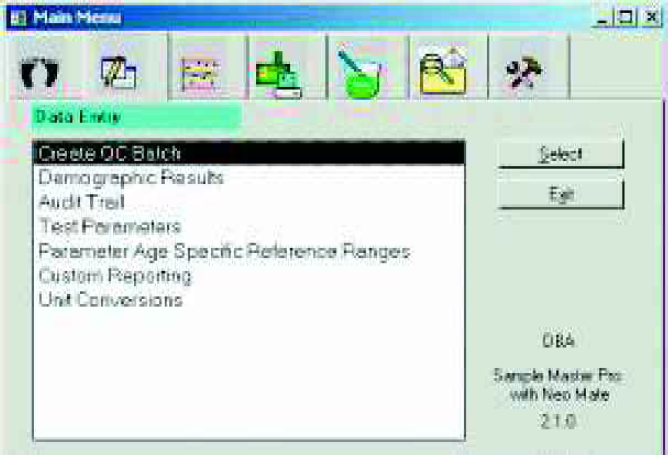
The Data Entry module is used for manually entering data into NeoMate™. A QC Batch is created to associate patient samples with QC samples when necessary and then results are entered through the Demographic Results function.

Results for patient samples as well as QC Samples are all entered on the same screen. Results go through a validation review after entry and are then approved for release to reporting. Reference ranges are stored by patient age for many tests and results are automatically flagged when they are outside the Reference Range.
Test parameters along with reference ranges (whether age specific or not) are all configured in the Data Entry module.
This module is also where reports are manually or automatically printed. Reporting will be covered in more detail later in this document.
QA/QC MODULE
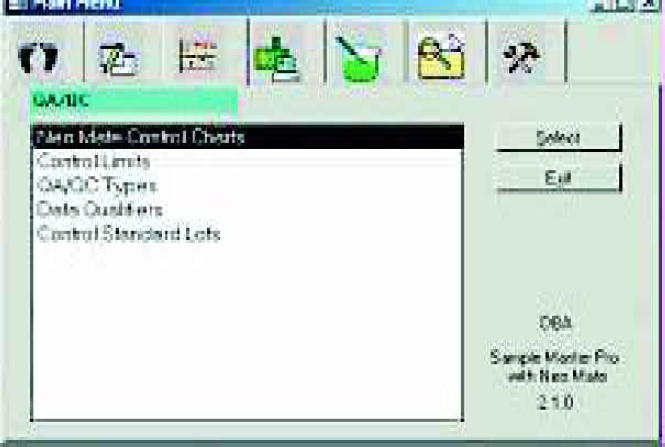
The QA/QC module is used to specify acceptance limits for QC Samples and to print out Control Charts for analyzed QC Samples.
The Control Charts / Limits Calculation function displays historical QC data and allows users to calculate new Means and Standard Deviations. Out of control results can also be flagged manually or automatically. The Standard Deviation Index (SDI) is shown so that the user can immediately recognize results that are out of control. The SDI indicates how many standard deviations the result is from the mean.

Results to be used in recalculation of control limits are marked by checking the Calc (calculate) column. Results used in previous calculations will already be marked. Users can navigate through the samples by using the navigation buttons on the bottom of the screen.
NeoMate™ stores the Mean and Standard Deviation for each Analyte by QC Type and Lot Number. Different Lot Numbers for the same QC Type may have a different Mean and Standard Deviation for the same analyte. This allows the laboratory to establish new limits for new control lots while still using active lots.
Control Charts are printed with one analyte per page, including Upper and Lower Warning and Control Limits. Warning limits are defined as the Mean plus or minus 2 standard deviations while control limits are defined as the Mean plus or minus 3 standard deviations.
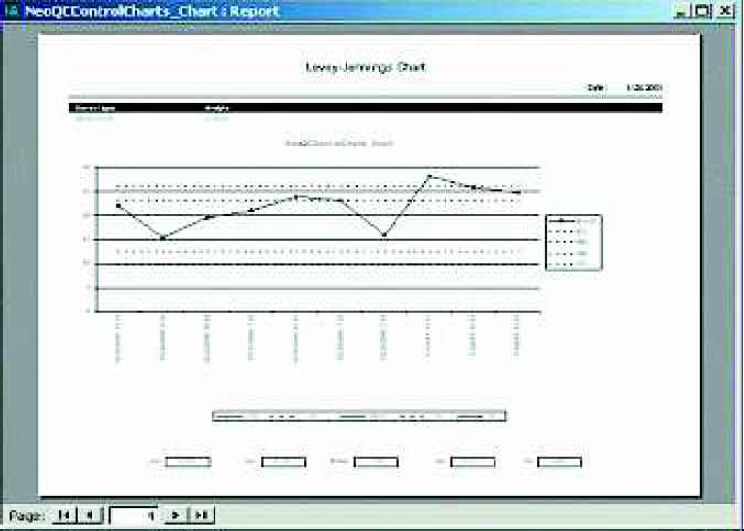
If necessary, means and standard deviations can be manually entered or updated as well.

ELECTRONIC DATA TRANSFER MODULE

The Electronic Data Transfer module is used to define import tasks for NeoMate™ to import data from instrument files from the tandem mass spectrometers. Files can be imported individually or a directory can be scanned periodically for import files. This function eliminates transcription errors and increases overall efficiency. Once the tasks are defined, the tasks (autoreporting, instrument import, user functions, etc.) are run by using the Task Manager function, which is found in the Maintenance module.
CHEMICAL INVENTORY MODULE

Laboratory supplies can be tracked using the Chemical Inventory module. Supplies are defined and assigned to vendors. When supplies are received, they are entered into the system and on-hand quantities are updated. Supplies can also be assigned to tests so that on-hand quantities can be updated once testing is complete.
FOLLOW UP MODULE
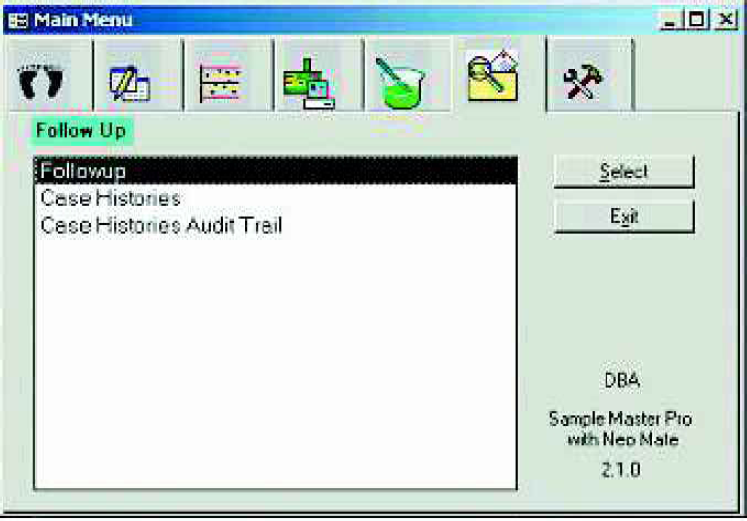
The Follow Up module allows abnormal samples to be tracked along with a record of all follow-up contacts made with physicians, patients, guardians, etc., and any notes on these contacts.
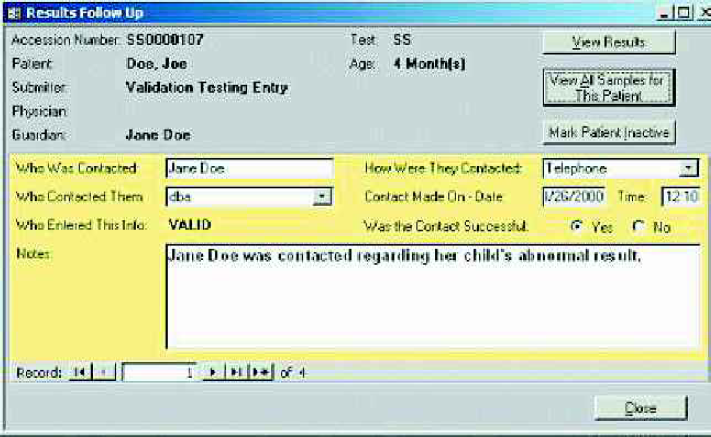
Patient Case Histories and interpretations for tests can also be reviewed in the Follow Up module. This module allows users to track all correspondence with parents, guardians, physicians and hospitals. The LIMS tracks who was contacted, the manner in which they were contacted (a user-definable pull-down list), when they were contacted and if the contact was successful.
LIMS MAINTENANCE MODULE

The LIMS Maintenace module is where all the system configuration is done. The set up is typically performed by the database administrator, since they have permissions for this module. Submitters, Guardians and Physicians can be added, deleted or edited from this module. Full security is built into the LIMS, so that the system administrator can control access to patient information as well as system access for the six departments. This is also where samples can be achieved out of the system and instrument data can be imported with the Task Manager. The Task Manager is shown below. This feature allows users to import data from instruments (Tandem Mass Spectrometers, Micromass, UK) at user definable times, other user definable tasks can also be placed in the task manager, such as backlog reports, disposal reports, etc. The Task Manager operates in the background, so that once tasks are defined (set-up), they run automatically.
REPORTING

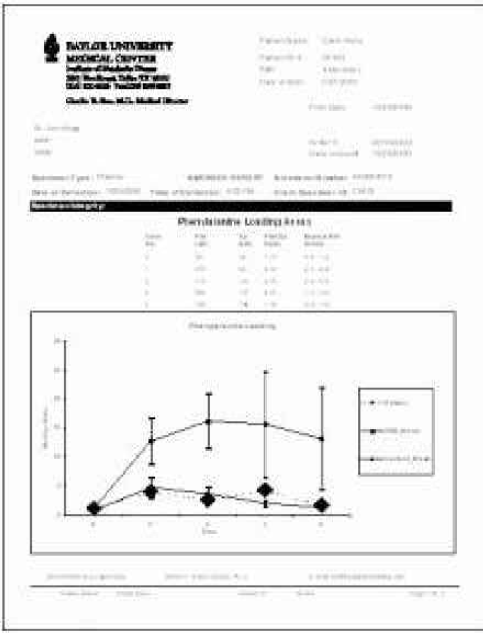
Reporting in NeoMate™ is performed with the Custom Reports function in the Data Entry module.
Samples to be printed are retrieved with the Custom Reports query, marked to be printed, the report to be printed is selected and then printed. Reports can also be previewed by selecting the Print Preview command.
INVOICING FUNCTIONALITY
When samples are initially logged into NeoMate™, the user indicates if the sample is pre-paid or who is to be billed – the Submitter, Physician, or Guardian. If the sample is pre-paid, an invoice is generated. All other samples that are marked as Bill Submitter, Bill Physician or Bill Guardian do not have invoices generated until all results have been completely processed through NeoMate™. Once this happens, the AutoInvoice function is run through the NeoMate™ Task Manager. This function automatically generates a unique invoice ID for each department for each submitter, physician or guardian with samples to be invoiced. Invoices are printed out and reviewed. Changes can be made in the Invoice function of the Patient Demographics module.
Sample pricing can be modified. Samples can also be added to different invoices and invoices can be reprinted as shown below.

INSTRUMENT INTEGRATION
Sample Master® Pro LIMS with NeoMate™ has powerful functionality for integrating with analytical laboratory instrumentation. As mentioned earlier, Work-lists can be exported to instrument sequence files, eliminating the need for users to input long lists of samples into the instrument. QC Samples are included in the exported file, based on configuration information for the test and the particular instrument to which the data is being exported.
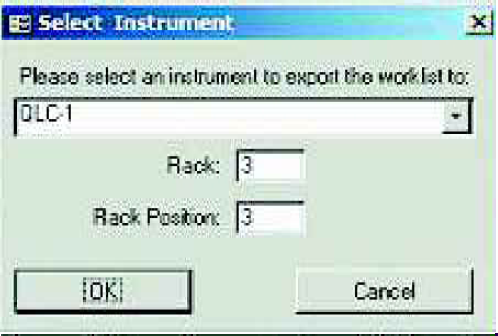
The user is prompted for the file name for the exported data. The file can then be imported into the instrument as a sequence and the samples can then be analyzed.
Once the data has been acquired from the instrument, a file is generated by the instrument software and placed in a network directory to be imported into the LIMS. The data is imported through the Task Manager. Once the data is imported, laboratory personnel can review it, interpretations can be entered and reports can be printed or faxed. NeoMate™ Instrument Integration saves a considerable amount of data entry time. Many of the tests utilized by NeoMate™ users contain several dozen parameters for which results would otherwise have to be manually entered. Direct import of instrument data from the Tandem Mass Spectrometers to the LIMS virtually eliminates the potential for transcription errors, ensuring data quality.
CONCLUSIONS
The Institute of Metabolic Disease at Baylor Medical University has realized many automation benefits since the installation and implementation of NeoMate™ LIMS. It is a fully integrated system that manages samples once they arrive in the laboratory through analysis to final reporting and billing. Major increases in productivity have had several effects on the overall laboratory process. The major effect is increasing efficiency in sample handling, login and reporting. There is also an increase in data quality that is inherent to NeoMate™ LIMS. First many of the pull-down lists in NeoMate™ are pick lists with hot look-up (which means that as you begin typing, the word that matches appears). By limiting users to a pick list, there is a significant reduction in spelling errors, because users are not entering information on the fly. This results in a “cleaner database”. Because NeoMate™ is a relational database, once erroneous data are entered, they cannot simply be deleted, they must be audited, retired or cancelled, depending on the error.
Am additional benefit is automatic field population from a picklist, as in the case of physician or hospital name, the address and other contact information is automatically filled in, saving data entry time. Automatic ID is achieved via barcode labels which are generated during login with accession number for patient folders, samples and for sample storage. Scanning in barcodes with CCD scanners from samples saves time and reduces data entry errors. NeoMate™ also provides result flagging for out of range results (often based on age group), alerting the laboratory personnel that a threshold has been exceeded.
The reports generated by the Institute are very complex and varied from department to department. However, reporting is key to a successful laboratory and because NeoMate™ LIMS utilizes Microsoft Access as the reporting tool, it is user friendly and flexible. Reports can be modified to contain user definable canned statements or disclaimers. The ability for the Institute to produce customized reports is critical to high customer satisfaction. In addition, the ability to utilize the auto-reporting feature in NeoMate™ saves time since the reports are only generated once the last test on the sample has been validated and approved. Often approval involves examination of patient case history and providing a detailed interpretation of the laboratory analyses for the physician. This results in a rapid turnaround time, from sample submission to final reporting. And in supplemental newborn screening, time is critical.
In addition to auto-reporting in NeoMate™, there is also auto-invoicing to customers. With the NeoMate™ FaxMaster™ Module, reports and invoices can be automatically faxed to customers, providing results even faster.
NeoMate™ has eliminated many of the mundane tasks that laboratory personnel previously had to perform. With the additional time that is saved highly trained laboratory personnel now have time to analyze data in new ways, examine additional samples, develop new methods, and look at additional processes that can be automated.
The data management and automation project described in this article, including the Neomate™ LIMS, is used and implemented at the Institute of Metabolic Disease at Baylor University Medical Center in Dallas, Texas for use by the Institute, BUMC and its affiliated hospitals and may or may not be appropriate for use or implementation in any other hospital or clinical setting. (The Institute and BUMC make no warranties, either express of implied, with respect to the project or its use and implementation.)