



Abstract
This research uses the boundary cutting, spatial-temporal segmentation, block based searching, and gray scale histogram technique to extract the eyes, nose, and mouth images. In this research, gray scale histograms are used to salient the eyes, nose, and mouth features. A spatial-temporal template is designed to slide the eyes, nose, and mouth images to extract the eyes, nose, and mouth image. In order to obtain the best result, the generic algorithm and spatial region partition techniques need to be used to remove noise and to precisely bind the object region to obtain a more accurate result.
INTRODUCTION
This research uses the boundary cutting [6, 11], spatial template [1, 14, 15], block based searching [1, 16], and gray scale image histogram [5,7] to separately extract human eyes, nose, and mouth images. In previous work, researchers used the mining association rule [2], color and edge information integrated technique [3, 4, 7], skip labeling, occlusion killer, shrink merge [8], fusion process and fusion set [12] to extract the moving object. CMOS image sensors [13] and infrared light emitting diodes are used to extract a 3-D object.
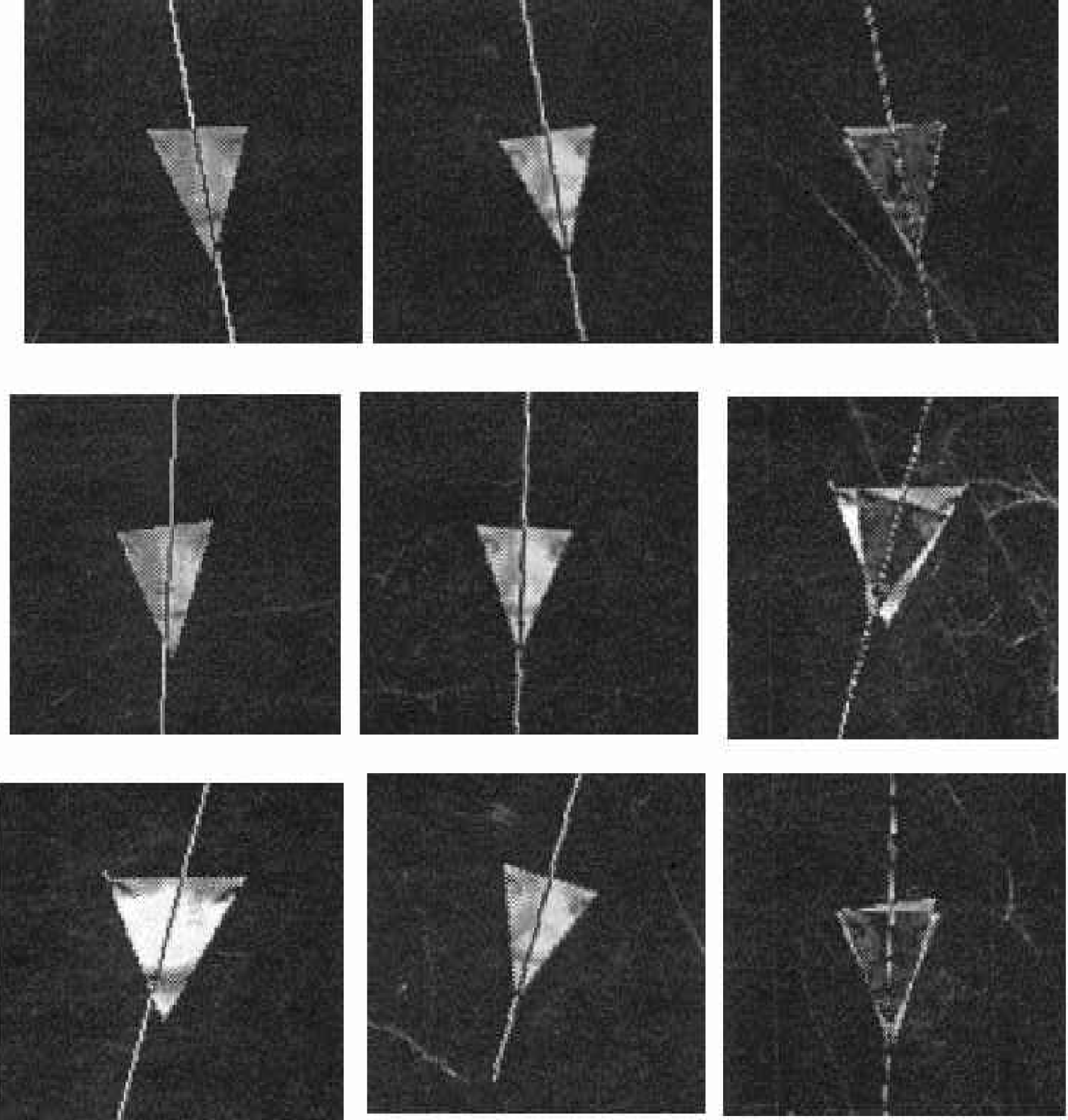
In order to recognize the human face belonging to different people, the geometric features [5] of it need to be compared. The eyes, nose, and mouth have the most significant features between different people. The triangular image of the eyes, nose and mouth, shown in figure 1, implies many significant features to help with recognition. By comparing these triangular images, the face recognition algorithm [1, 9, 14] can distinguish different people. In this research, the technique to extract the eyes, nose, and mouth is investigated.
THRESHOLD THE IMAGE AND APPLY THE OBJECT GRAY LEVEL DIFFERENCE LOCATOR TO THE ORIGINAL IMAGE
In order to obtain the pictures on the left in figure 1, the eyes, nose, and mouth need to be extracted. When the eyes, nose, and mouth are extracted, one can follow the procedure shown in figure 2 to obtain triangular eyes, nose, and mouth images.
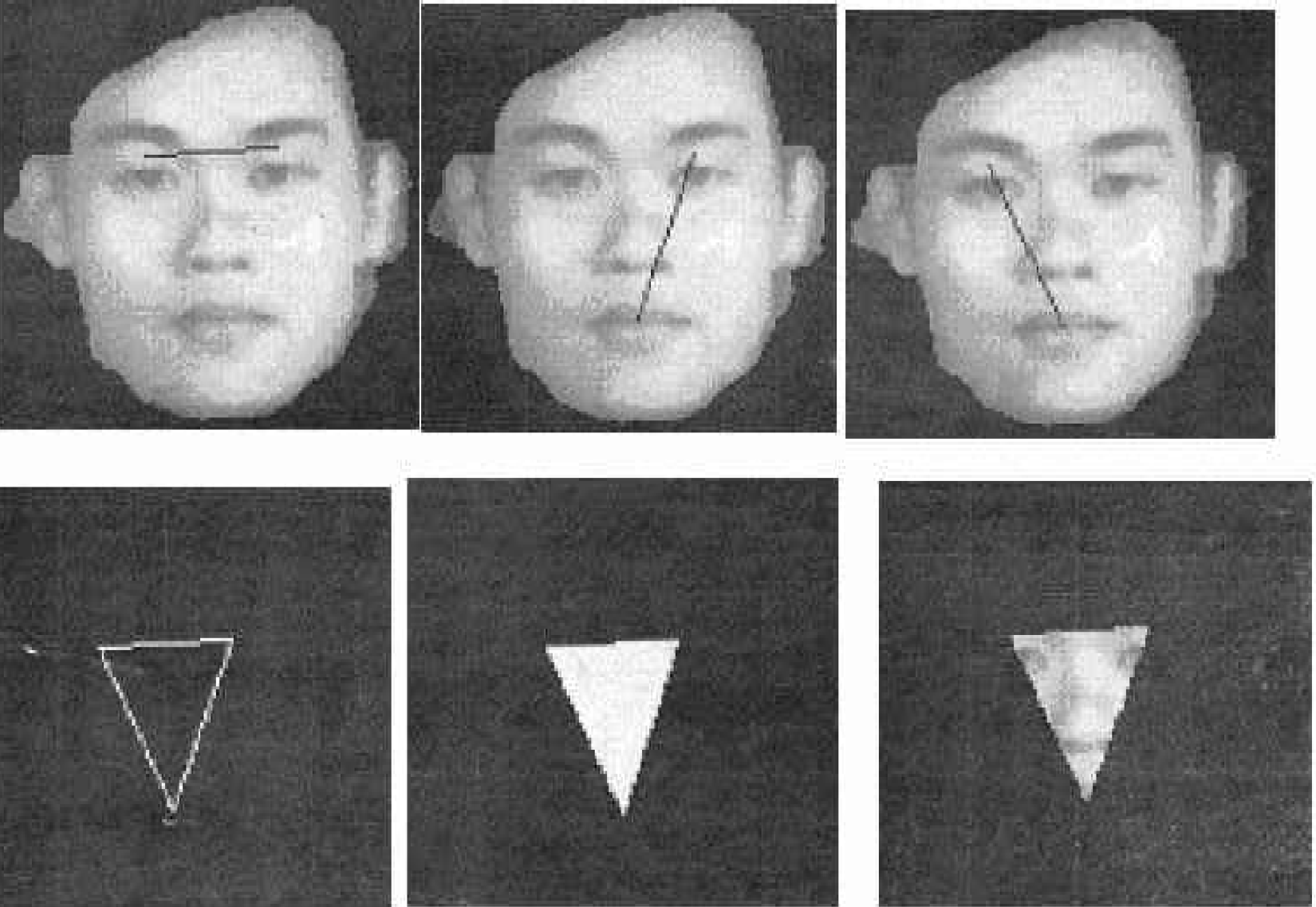
The triangle eyes, nose, and mouth extracting process
Figure 3 shows the original image and the threshold image. A photo is taken with a black curtain in the background. Based on many experimental tests, the threshold value is set as 80 in order to obtain a good threshold image.
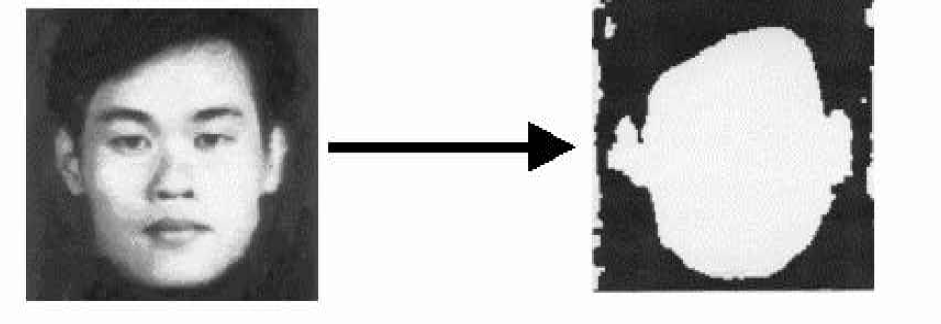
Threshold the original image
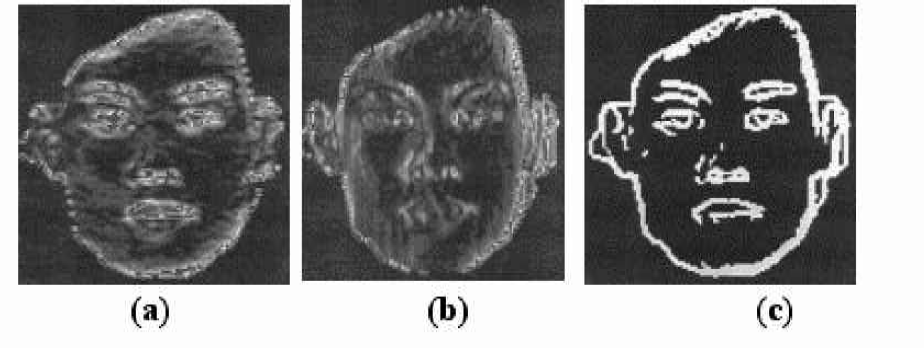
Figure 4(a) shows the resulting image after applying the X direction gray level difference locator to the original image in figure 3. Figure 4(b) shows the resulting image after applying the Y direction gray level difference locator to the original image in figure 3. Figure 4(c) shows the resulting image after applying both X and Y direction gray level difference locators to the original image in figure 3. In figure 3, since the black background against the face skin, eyebrow against the face skin, nostril against the face skin, and lip against the face skin all have the black and white gray level contrast, one can use the gray level difference locator to obtain the images in figure 4.
Threshold the original image
SEPARATELY EXTRACT THE EYES, NOSE AND MOUTH FROM THE ORIGINAL
Since the face outline on the left in figure 5 is continuous, one can use the edge searching and thinning algorithm to obtain the thinned face outline shown on the right in figure 5.
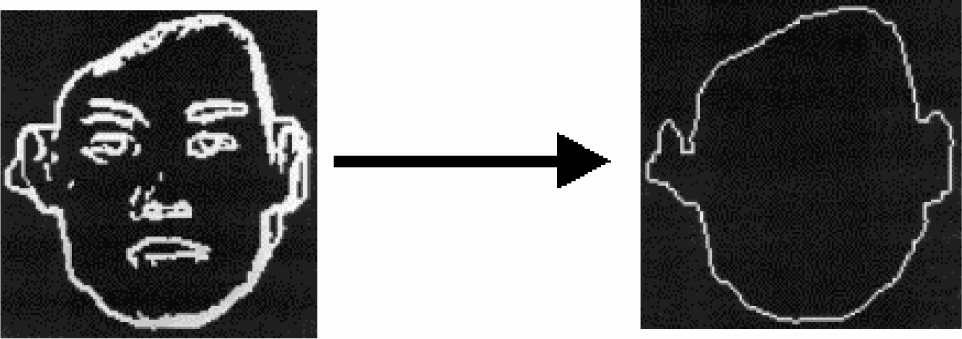
Extract the face outline
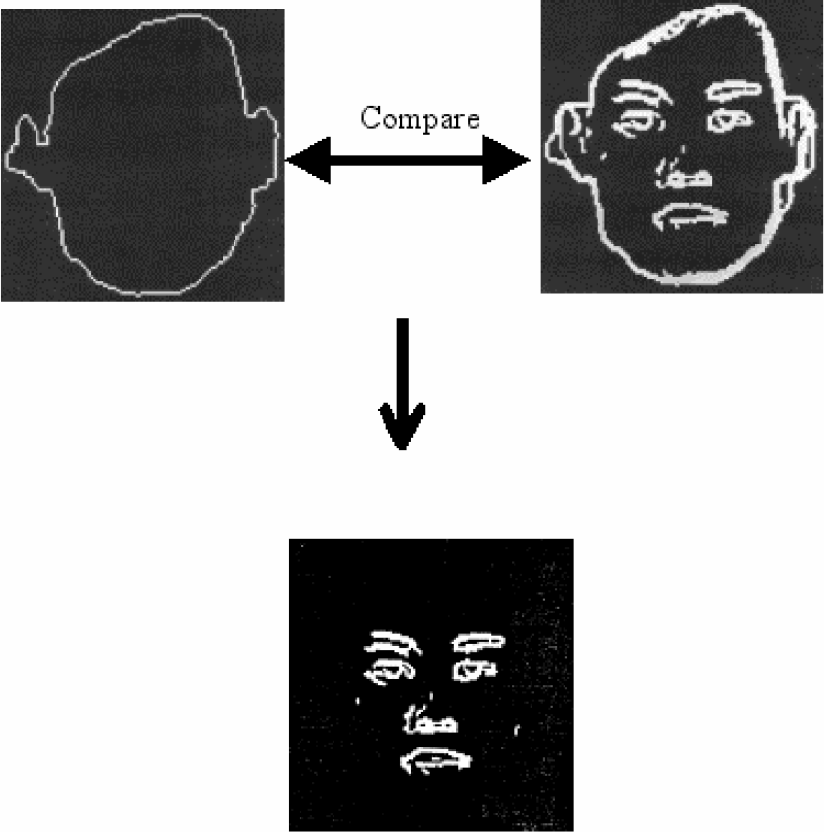
Figure 6 shows the process used to get rid of the face outline. The thinned face outline is compared to the original image by using the X and Y direction gray level difference locator. By checking the location of the thinned face outline, the original face outline can be taken out. The resulting image is shown on the bottom of figure 6.
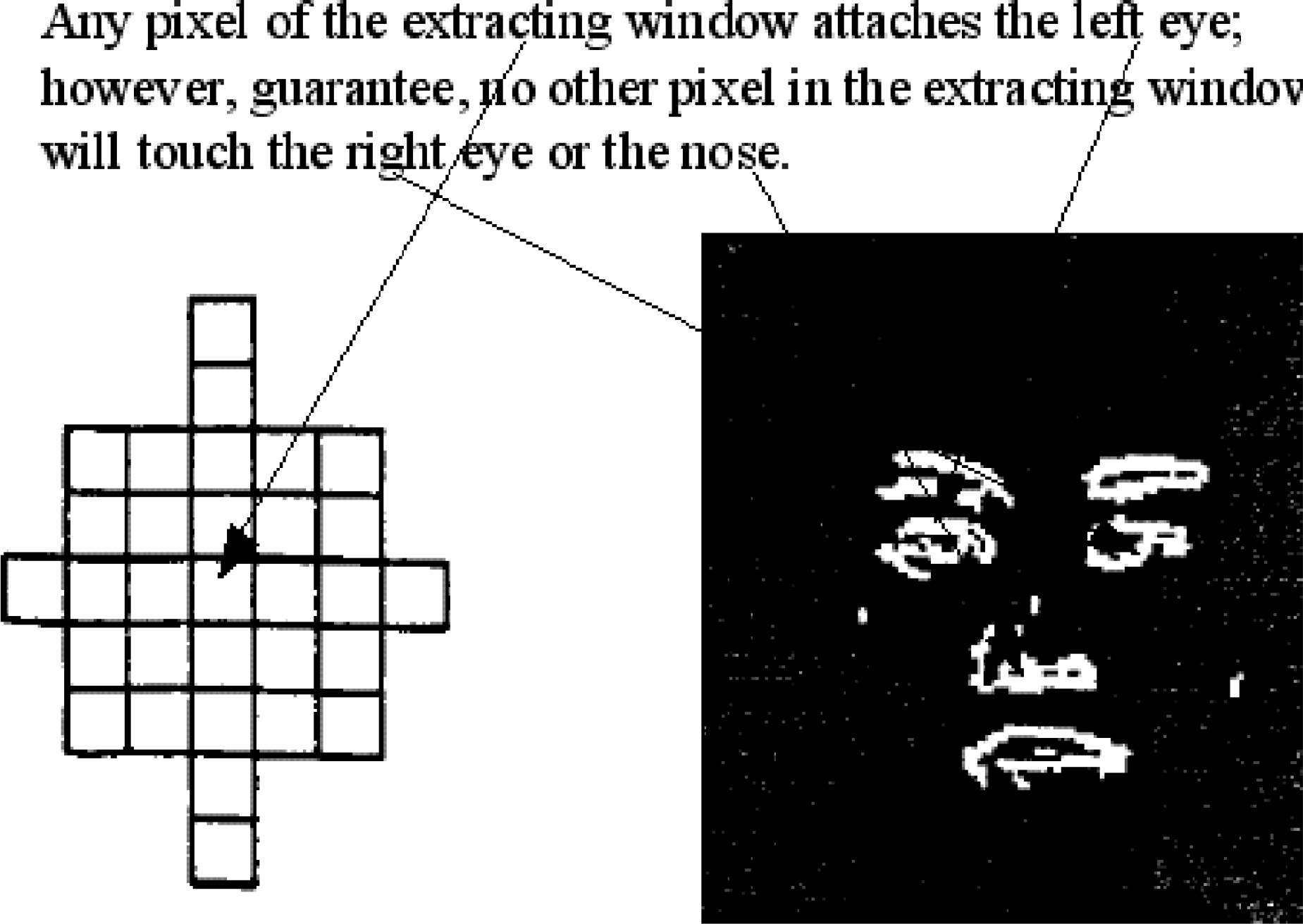
Figure 7 shows the left eye extracted from the eyes, nose, and mouth image. Figure 8 shows the image-extracting window.
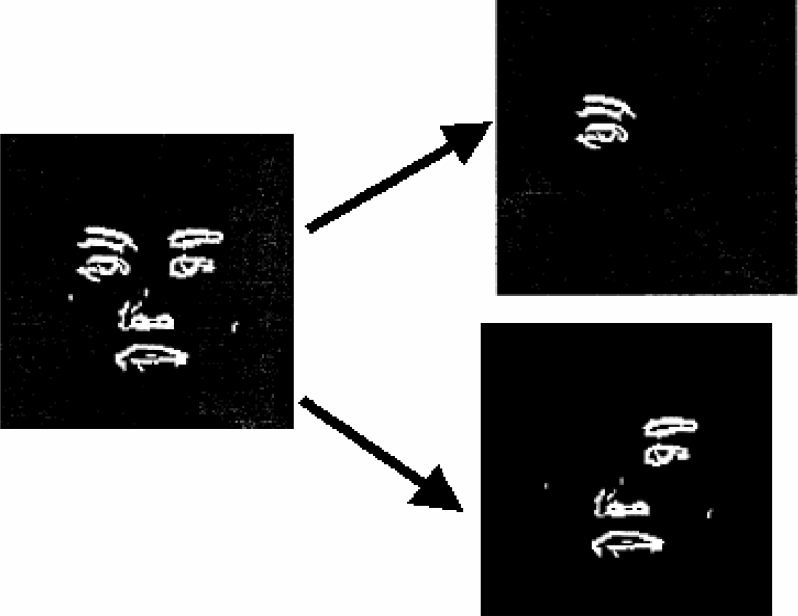
Extract the left eye
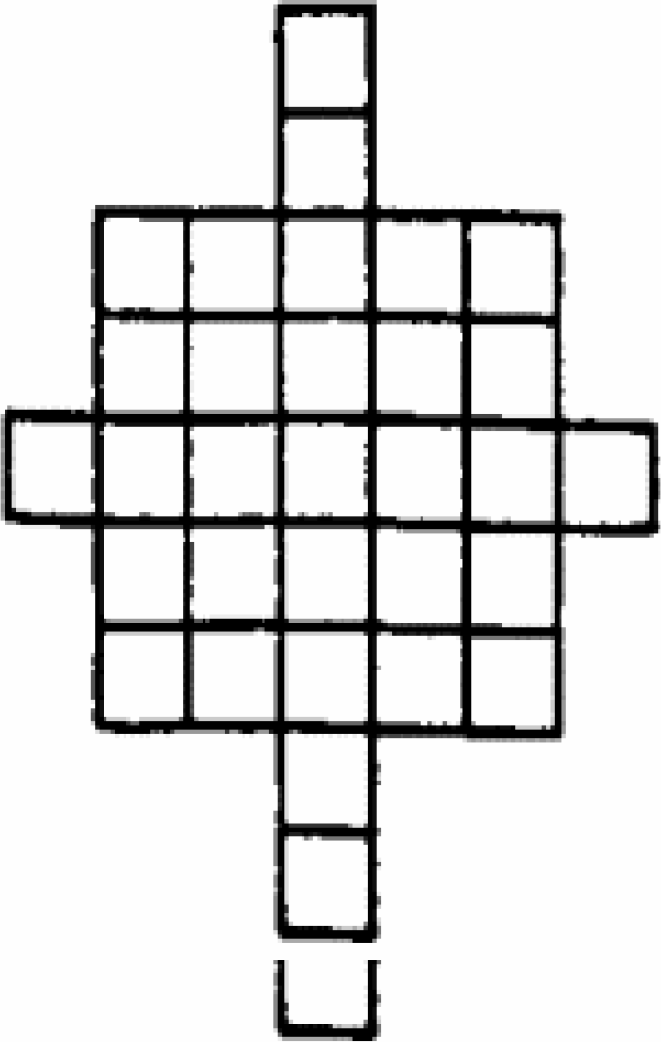
the extracting window
In figure 9, to prevent the extracting window from touching any two objects at the same time, the corners of it are truncated. For the same reason, the vertical and horizontal lengths of the extracting window are adjusted to be short enough to guarantee extraction of one object at a time. In this case, the extracting window extracts the left eye, right eye, nose, and mouth one at a time. When any pixel of the extracting window touches the left eye no other pixel in the extracting window can touch the right eye or the nose.
The eyes, nose, and mouth image in figure 9 originally are set to a gray level of 255. The extracting window from left to right, and up to down to locate the first pixel, which represents the left eye image. After locating the first pixel of the left eye, the image-extracting algorithm uses this pixel as the centroid of the extracting window and uses the extracting window to cover the left eye. Every individual pixel of the left eye image covered by the extracting window is tested. When the pixel gray level is found to be 255, this pixel is assumed to be the target pixel, which represents one of the pixels of the left eye, and this pixel will be extracted. The gray level of this target pixel will be changed from 255 to 100, to indicate that it has been searched and extracted. When the tested pixel is found with a gray level not equal to 255, this means that it is not the target pixel or it is the target but it has been extracted. Thus, the pixel is left untouched. Upon finding a target pixel, another important thing to do is to put the address of this pixel into a stack. After the extracting algorithm completely tests all of the covered pixels it will pop another pixel address from the stack. This popped pixel is used as the centroid of the extracting window and the previous process is repeated to begin to build up another extracting procedure to extract the other target pixels. This same procedure is repeated until the extracting algorithm has extracted the left eye image.
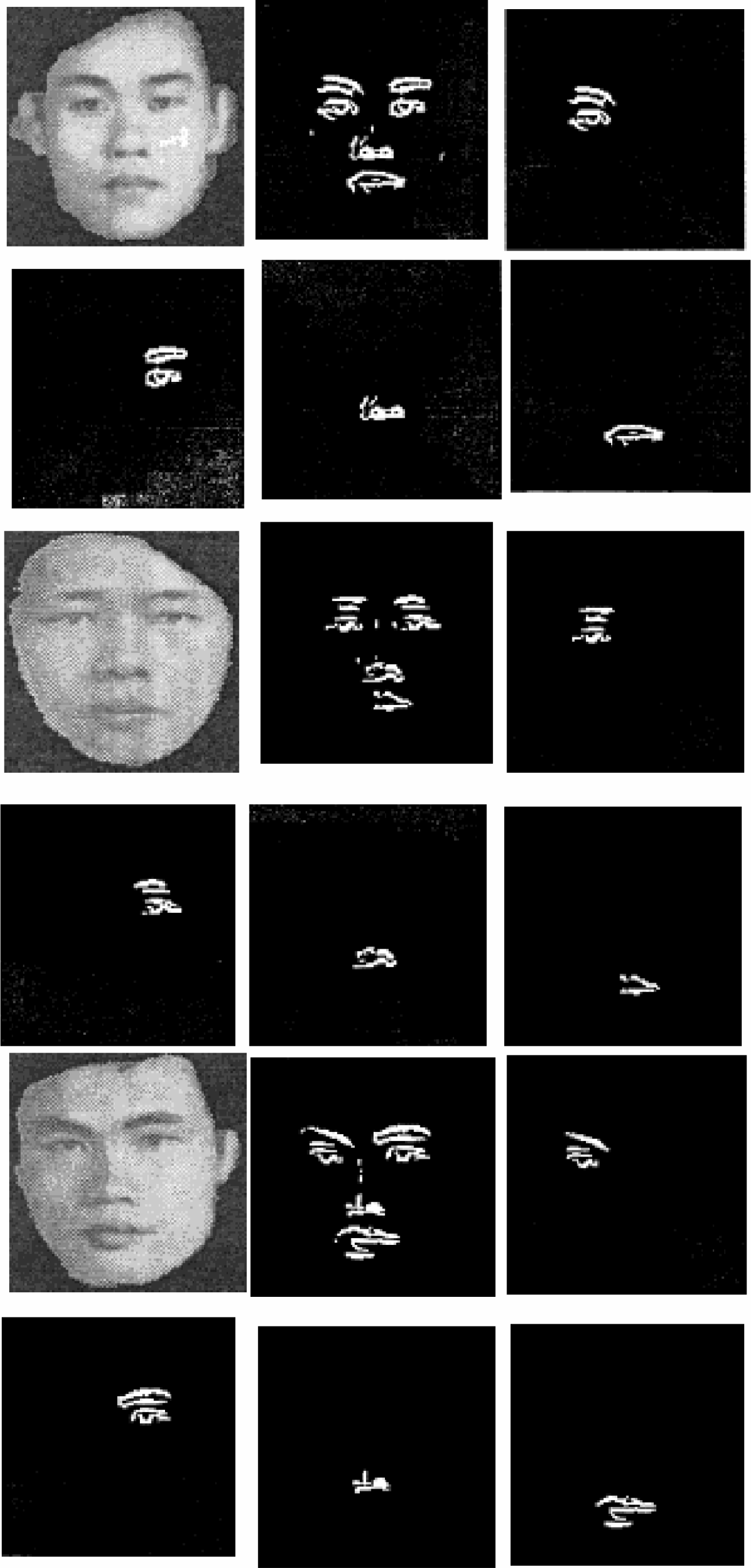
After the left eye image is extracted, the gray levels of it are set to zeros. The eyes, nose, and mouth in figure 9 will only be the right eye, nose, and mouth images as seen in figure 7. By applying the same technique used to extract the left eye image, the right eye, nose, and mouth can be extracted, too. The extracted eyes, nose, and mouth images are shown in figure 10.
The extracted image
RESULTS AND CONCLUSIONS
As seen in figure 10, it is shown that the extracting window can exactly extract the image. In order to prevent noise from ruining the extracting process, the image filter needs to be passed to the eyes, nose, and mouth image in figure 9 to filter the noise. To more accurately extract the eyes, nose, and mouth images, the generic algorithm and spatial region partition technique need to be used to remove the noise and to precisely bind the object region.