



Abstract
Liquid-handling platforms often do not provide a mechanism for collecting weight data needed for instrument qualification and sample transfer confirmation. This paper discusses the development, implementation, and application of a system that facilitates liquid-handling confirmation required for Good Laboratory Practice (GLP) compliance and provides an avenue to track the amount of sample transferred for extraction.
The Balance Data Collector (BDC) system was designed as a flexible generic balance tool to be used with Tecan Gemini© and Packard WinPrep® software. The BDC system provides a user interface for balance configuration, a pointer to a file for storing weight data, and an external interface through command-line arguments.
BDC is currently used for instrument qualification and sample collection in bioanalytical applications. Instrument qualification includes refining instrument liquid classes and verifying pipetting accuracy and precision. For bioanalytical applications using 96-well plates, BDC collects individual aliquot weights of samples transferred during an assay.
The BDC system provides the user with the capability to control a balance via liquid-handling programming platforms such as Tecan Gemini© and Packard WinPrep®. Integration of liquid-handling platforms and BDC reduces the time the scientist must spend recording weight data needed for GLP compliance and can be used to increase accuracy of calculated sample concentrations.
SYSTEM DESCRIPTION
An application has been developed to perform fully automated gravimetric confirmation on various liquid-handling systems. The Balance Data Collector (BDC) system consists of a Visual Basic Interface (Figure 1) and a Mettler AG-245 analytical balance with a custom rack (Figure 2).
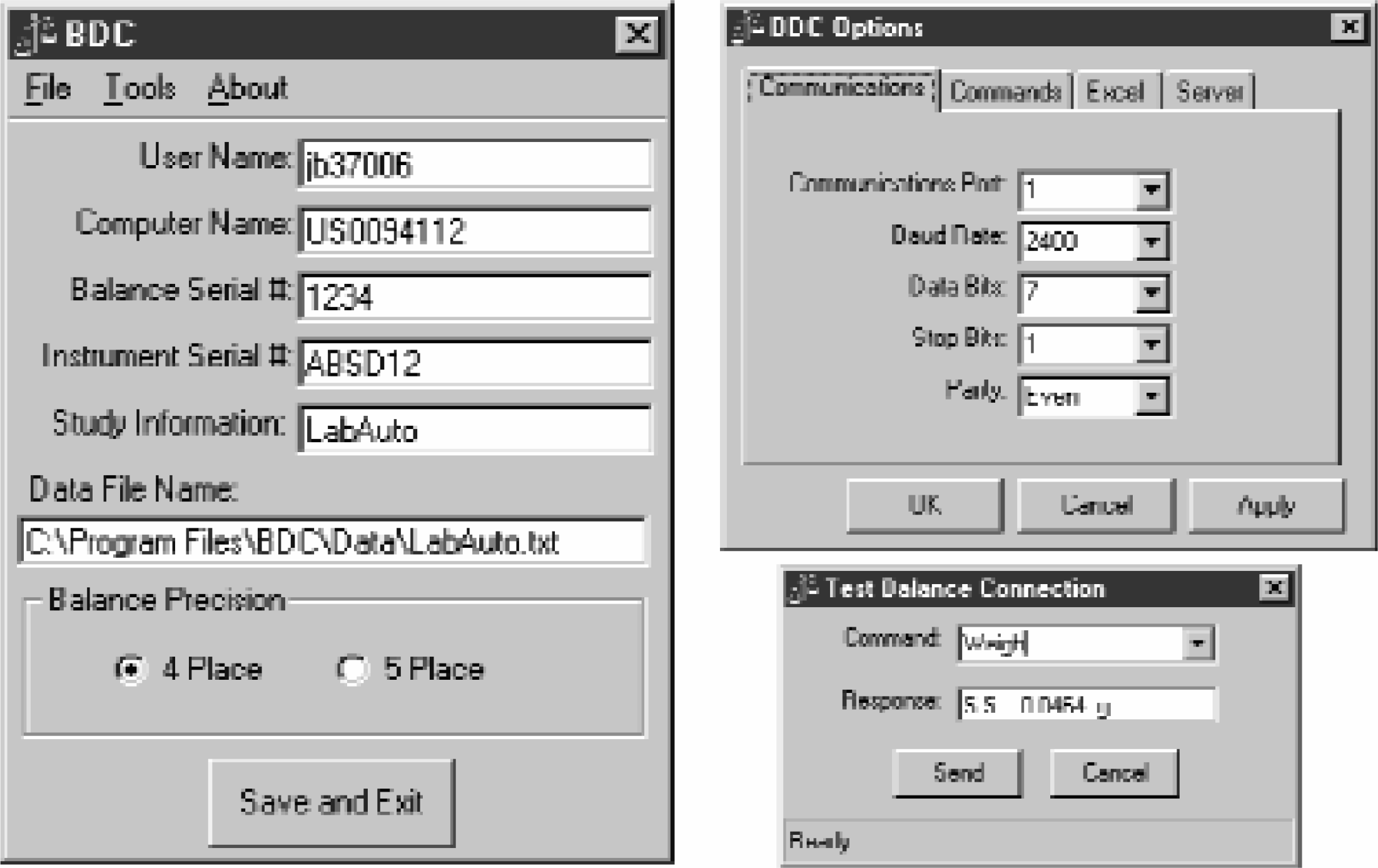
BDC Software
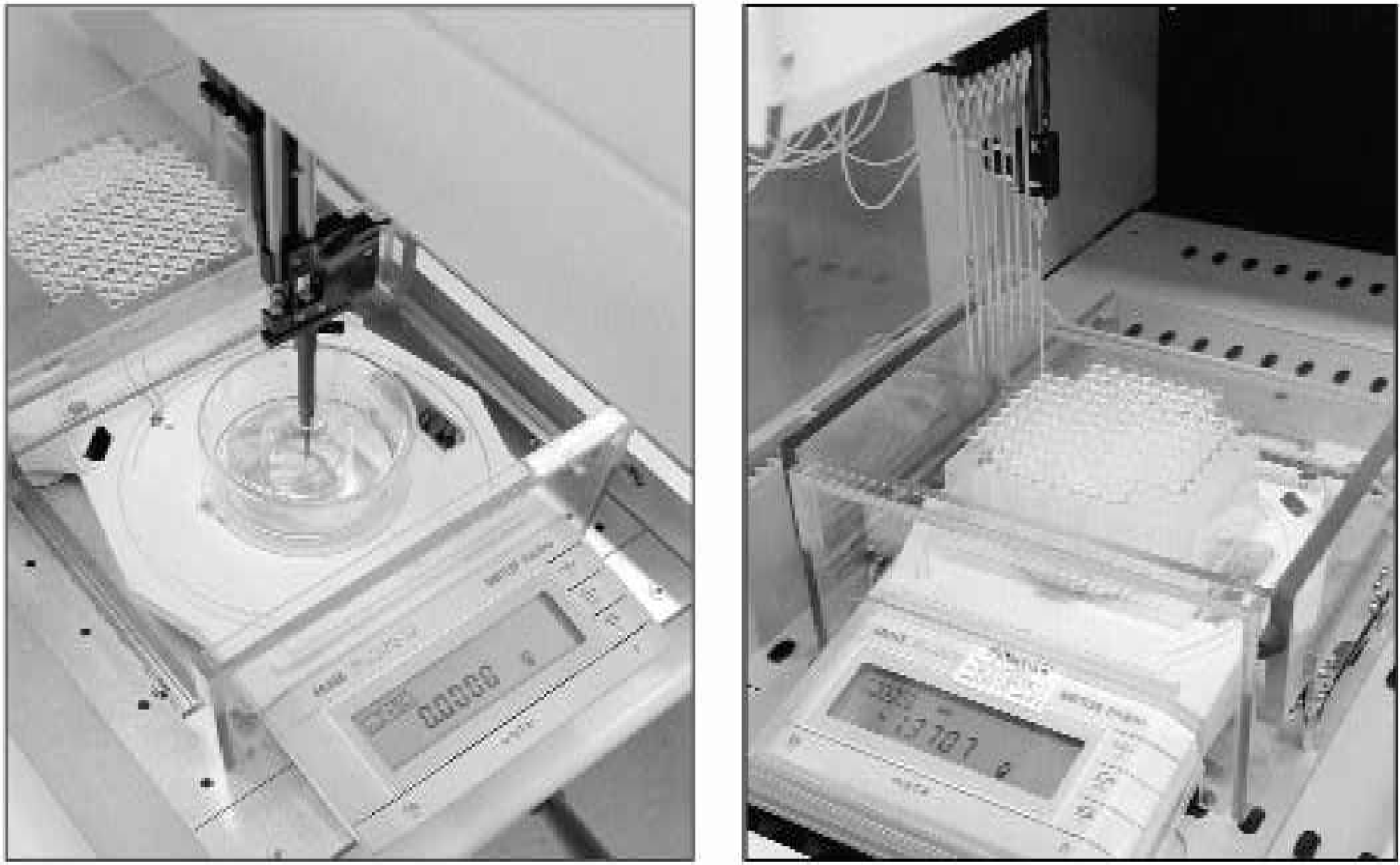
BDC Hardware
The system hardware consists of a custom plastic enclosure with a top loading cover and a plate locator that rest on the balance pan. The enclosure can accommodate a single collection position such as a small beaker or a 96-well plate including Deep-well and SPE plates. The 96-well plates can be placed on the balance in either landscape or portrait orientation.
The BDC software provides a user interface that supports the interpretation of command-line arguments for communications with the Mettler balance, a dialog box for customizing communication protocols, and a dialog box for testing system configuration. Command-line arguments are used to control the balance and post data to a secure server. Valid arguments include Tare, Zero, Weigh, Reset, Schedule, and Submit. The BDC Options dialog box allows the user to define the communications protocols between the host computer and the Mettler balance.
Figure 3 shows the program flow during the execution of the Weigh command-line argument. During a weighing operation the system writes the weight data to either a comma-delimited text (TXT) or Excel (XLS) file. Each text file (Figure 4) contains header information, followed by the date, time, weight, and balance return string for each weigh event. The header information includes the user name, computer name, instrument serial number, balance serial number, any additional study information, and the date and time the file was created. BDC writes data to Excel via an Excel macro that exists in the target workbook. The macro contains customizable code (Figure 5) that places the data in any desired location on the worksheet and adds password protection if needed.
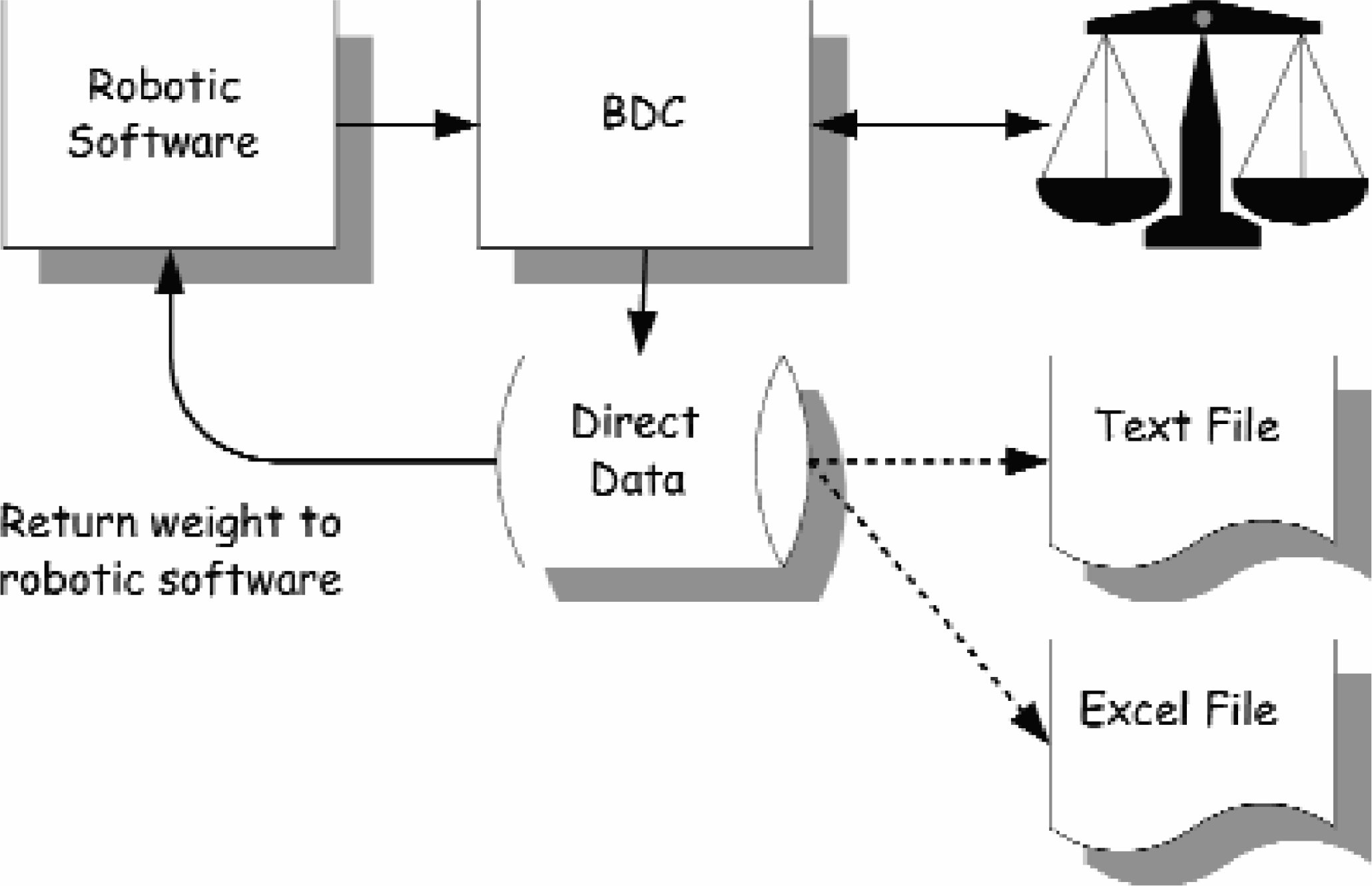
Flow Diagram
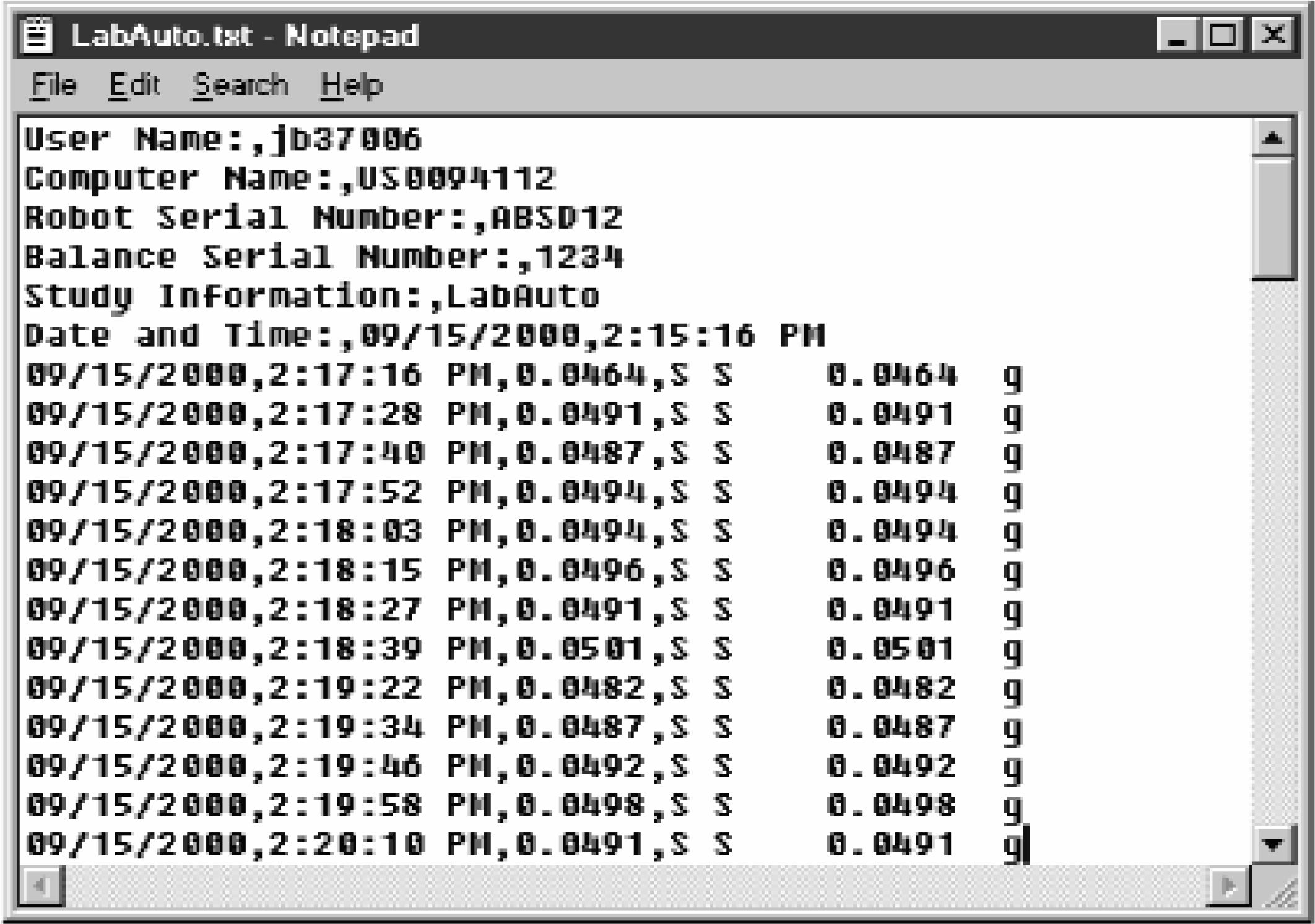
Text File Data
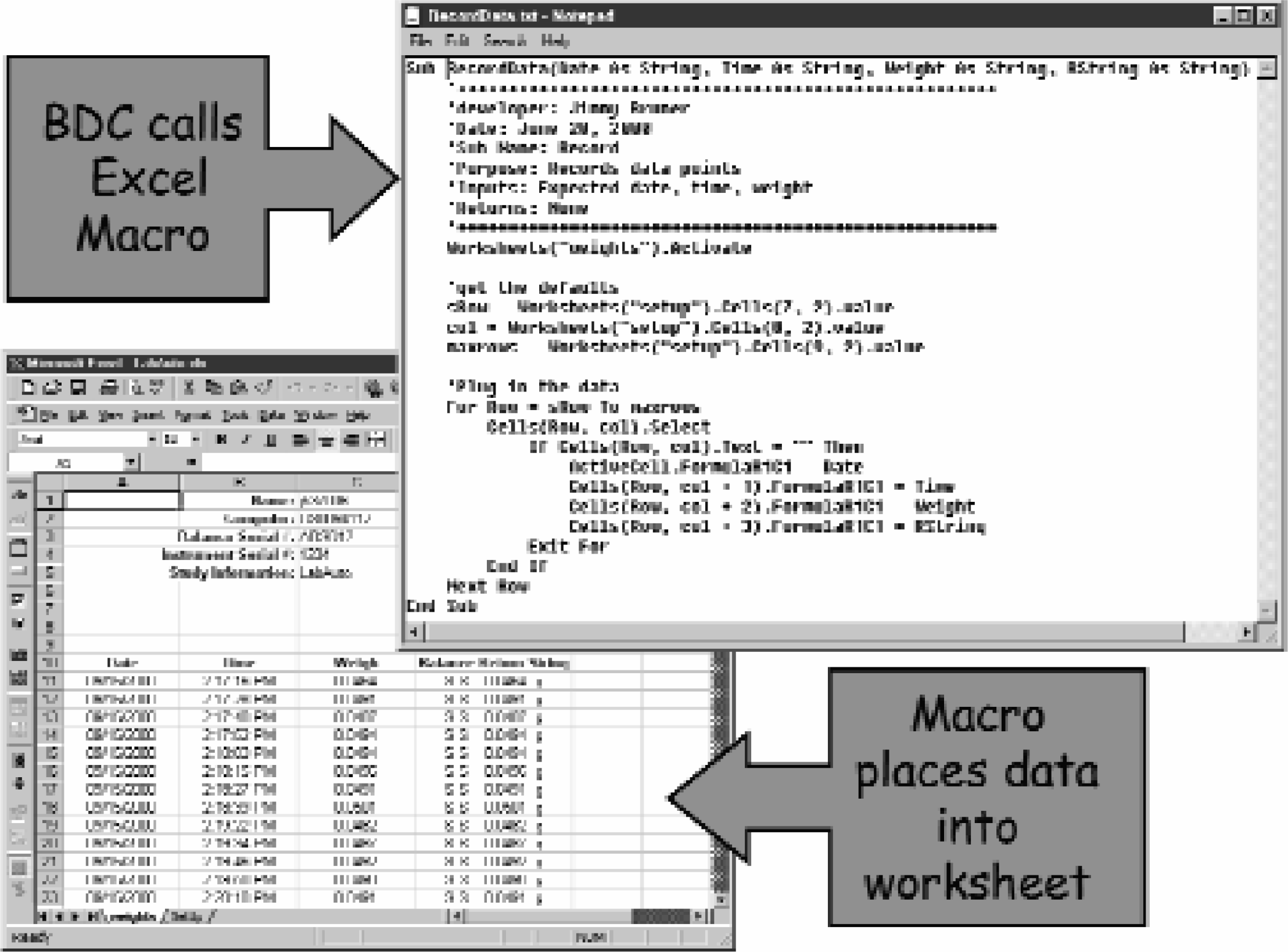
Excel File Data
IMPLEMENTATION
Currently BDC is implemented on two liquid-handling platforms. First, BDC was implemented on a Tecan Genesis using Tecan Gemini© (Figure 6). BDC is accessed via the Gemini© Execute Application tool, which provides a link to an external application, in this case BDC.exe. The full path to BDC.exe and the appropriate command must be defined, as shown in Figure 6. The “Wait for termination of application” option should always be selected. If the “Store return value in variable” option is also selected, BDC will return an integer number representing the weight via the API call “ExitProcess().” The value, stored in the user-defined variable, is available for Gemini© to evaluate for making decisions.
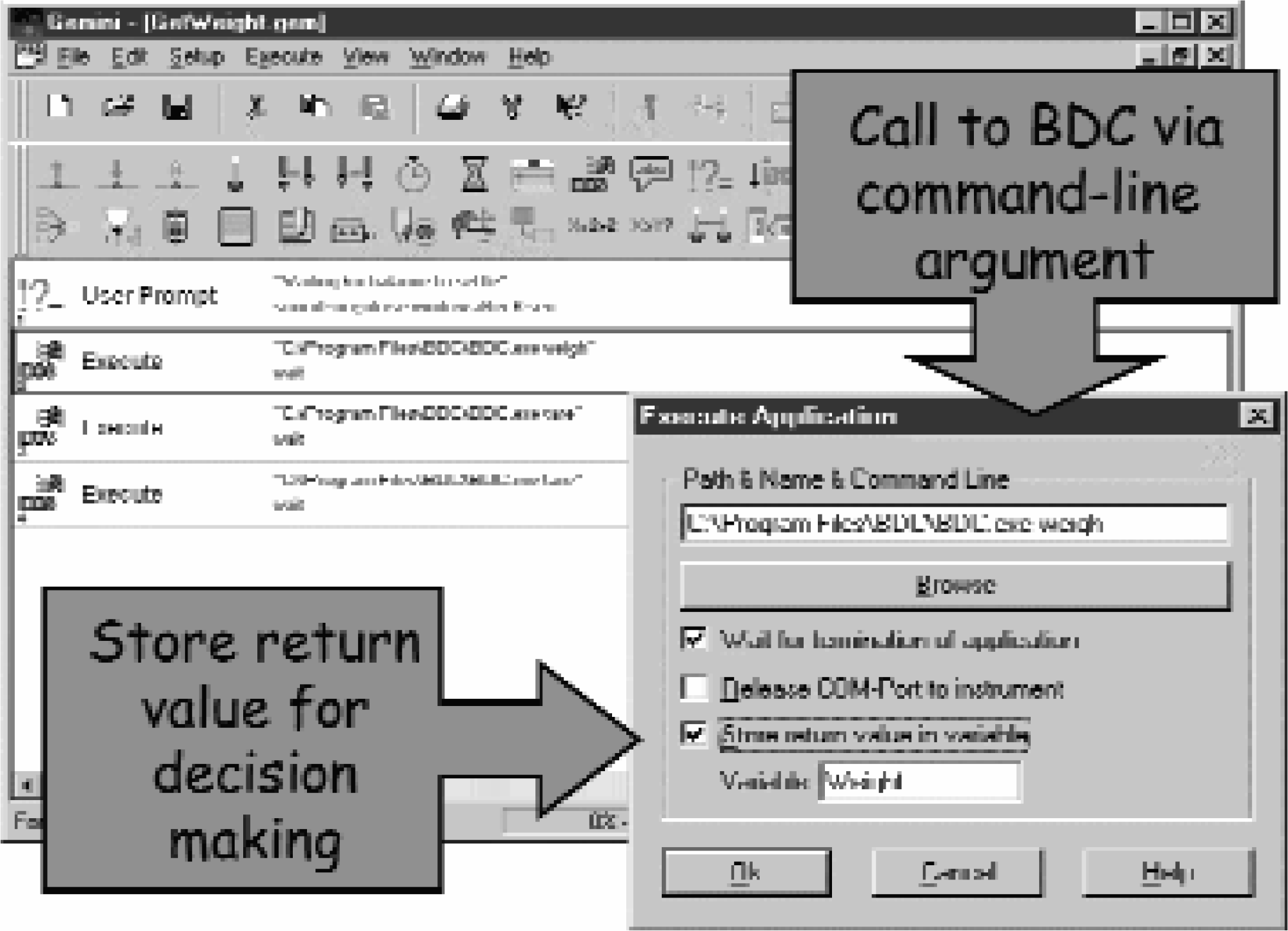
Tecan Gemini© Setup
In the Packard WinPrep® software, a User Function can be created that invokes any of the BDC commands, as shown in Figure 7. The Dispense Parameters dialog box allows each User Function to be called before or after any step of the sequence.
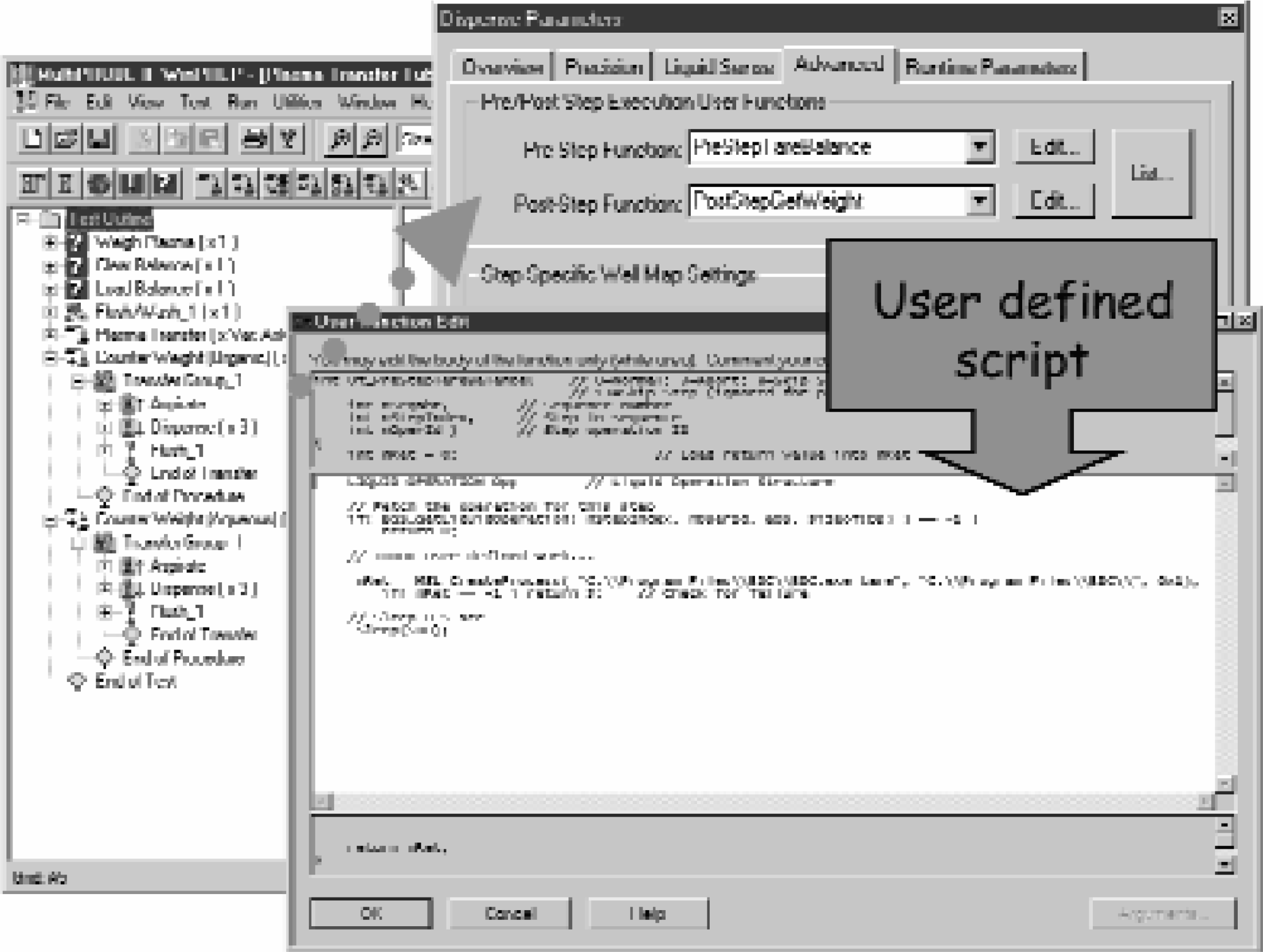
Packard WinPrep® Setup
CONCLUSIONS
The BDC system provides the capability to control a Mettler balance via Tecan Gemini© and Packard WinPrep® liquid-handling programming platforms. BDC has been shown to reduce the time the scientist must spend recording weight data needed for GLP compliance and can be used to increase accuracy of calculated sample concentrations.
The collection of sample weight data has been valuable to GlaxoSmithKline scientists. Weight data collection is crucial in small volume bioanalysis studies (rat, mouse, etc.) where very little sample may exist or the sample may be dirty with fibrin clots or other insoluble material. The weight data may also be used to correct for slight differences in sample volumes pipetted or for the possible absence of sample.
Gravimetric data are also essential for evaluating and improving pipetting parameters (liquid classes and performance files) of individual robots. Using the manual processes, a gravimetric check of two target volumes would consume approximately two hours of scientist-time. However, the use of this system has reduced this time to about 15 minutes.