



Abstract
Webpages frequently contain a wealth of useful data for researchers in text form. However, accessing these data may be difficult because webpages are designed for human end users and not for ease of automated use. Because copying and pasting is tedious and often infeasible for extracting large volumes of text data, users rely on computer programs to automate this process. Most text extractors (and broadly web scrapers) available today are designed using the programming languages Java, Python, and Ruby (Sirisuriya 2015). 1 Because Stata introduced Python integration in version 16 and Java integration in version 17, users can leverage the text-extraction capabilities of these languages from within Stata. The downside, however, is that this requires familiarity with these programming languages, which is a skill not possessed by many Stata users. The purpose of this tip is to illustrate how one can use Stata’s official commands and functions for text extraction. Because webpages are built using text-based markup languages (for example, HTML and XHTML), the procedure involves first reading contents of the webpages as text files and subsequently parsing the resulting files.
To illustrate, suppose that we want to extract the titles of threads appearing in the first page of Statalist’s general forum. The URL for accessing these data is https://www.statalist.org/forums/forum/general-stata-discussion/general. Figure 1 exhibits part of the webpage at 12:25 p.m. Central European Time on 2 January 2023. Apart from the titles, the webpage contains the names of users who started the threads, the dates and times the threads were started, and the number of posts and number of views corresponding to the threads, among other pieces of information.
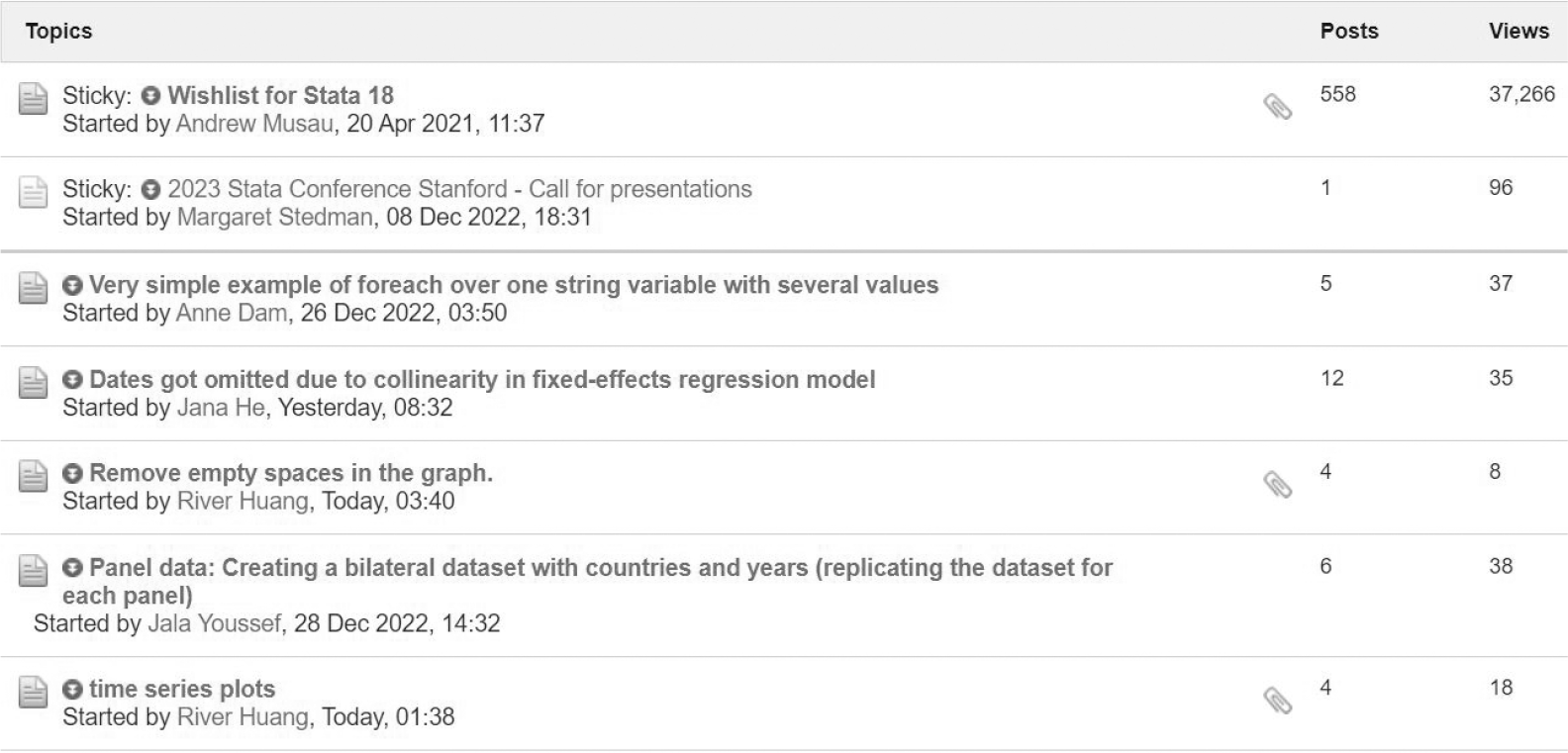
Screenshot of the Statalist general forum
To extract the titles, I use the
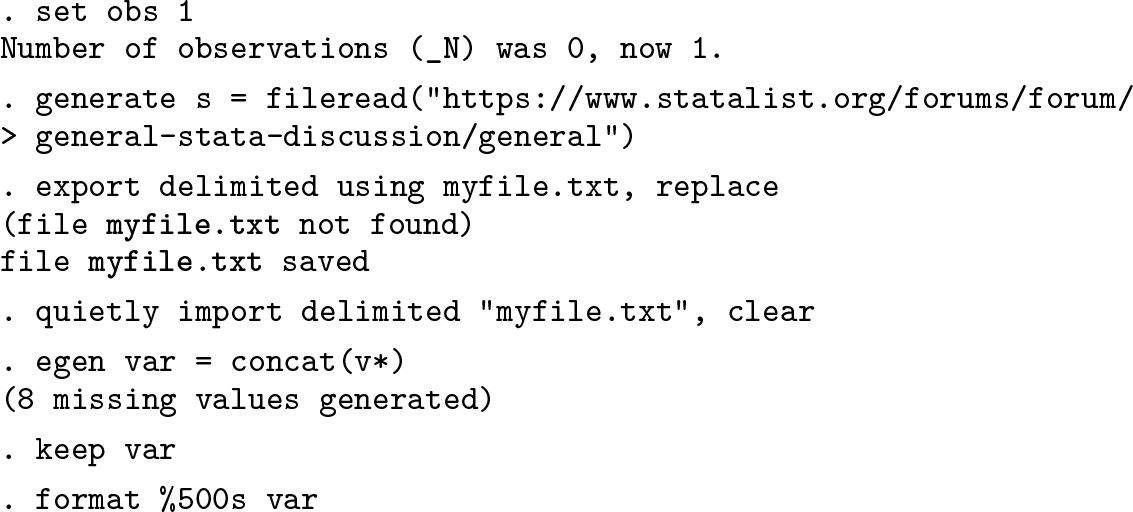
The extracted contents following

The

This, in turn, is at observation number 6,088. What is apparent from comparing these two observations is that the titles of the threads are between the substrings

and

Identifying such patterns and writing code that extracts strings matching that particular pattern are typically all that is needed to extract some desired piece of information for standardized entries in a webpage. Regular expressions are well suited for this purpose, but in many cases other string functions are equally effective. 3 Below, for example, either of the two commands will suffice to extract the titles.
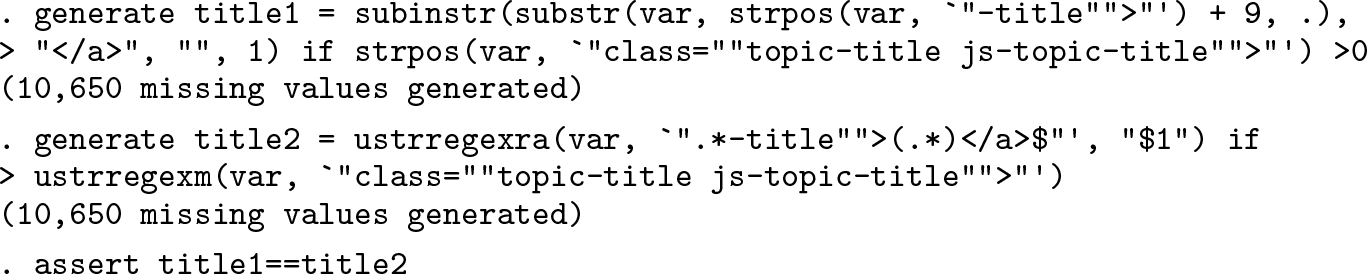
In total, we have extracted all 52 titles present in the first page of Statalist’s general forum, including the 7 shown in figure 1.
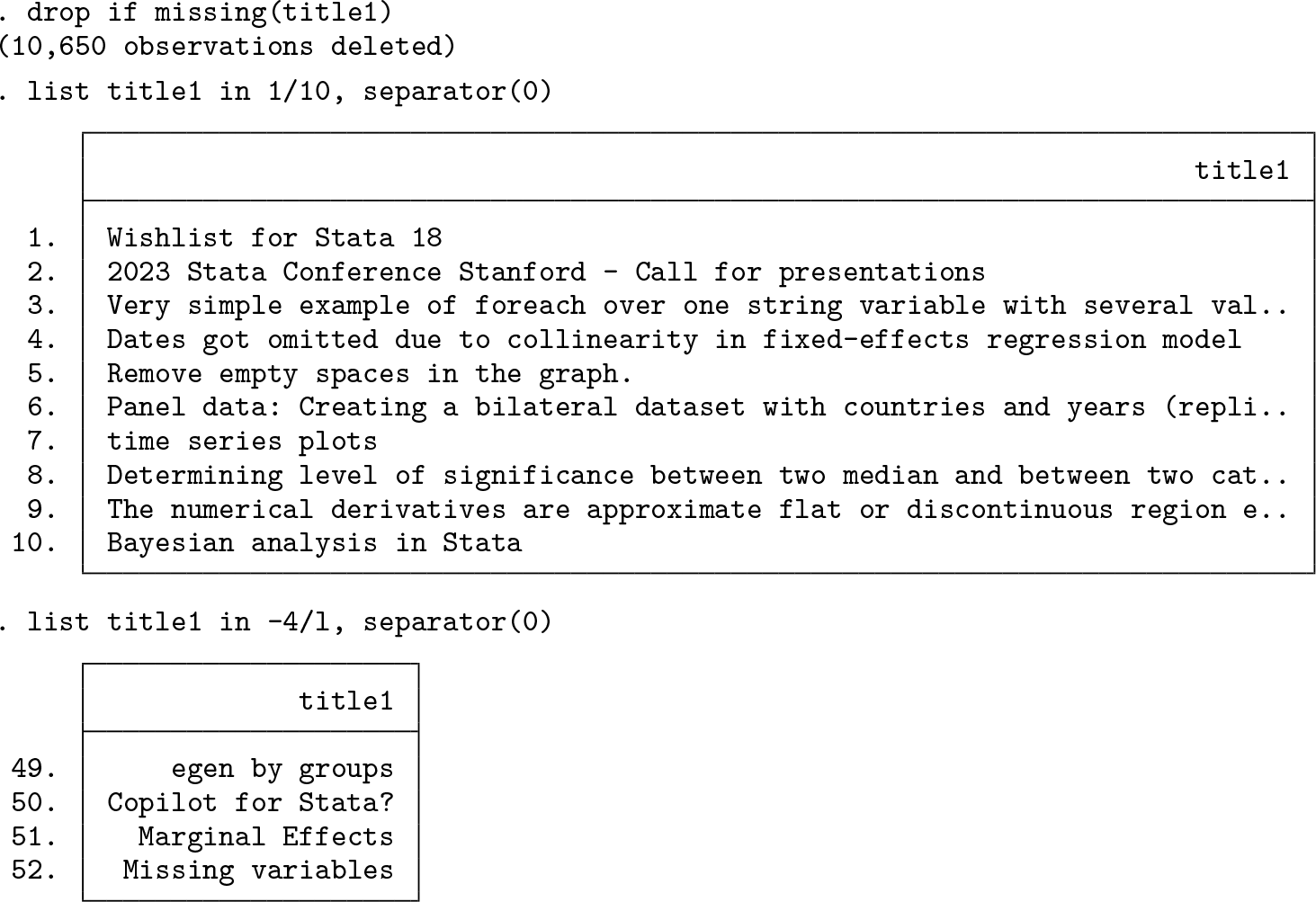
Extending this to extraction of other elements in the webpage, such as numbers of posts in the threads, involves the same procedure of identifying similarities in the strings and writing code that extracts the string pieces based on the identified patterns. Additionally, extending this to multiple webpages is simply a matter of specifying additional URLs. For Statalist’s general forum, the second page adds the suffix “/page2” to the URL, the third page “/page3”, and so on. This makes it easy to define a