



Abstract
In this article, we describe a new command,
1 Introduction
Retrieving Stata’s learning materials is crucial to the proficiency of Stata users and the continued development of the software. Users can browse help files offline and click on links for more detailed PDF documentation with the Help file: https://www.stata.com/help.cgi?regress
PDF documentation: https://www.stata.com/manuals/rregress.pdf
We developed a command, You can read the online help or the manual about the Mata function
Users can type

which turns out to be the following readable text after being pasted into a You can read the online help or the manual about the Mata function
For more detailed information, see section 2.3.
The remainder of the article is organized as follows. Section 2 introduces the usage of the
2 Syntax and usage
2.1 Syntax

2.2 Common use

It will open a 30-page PDF version of the documentation that details how to use the
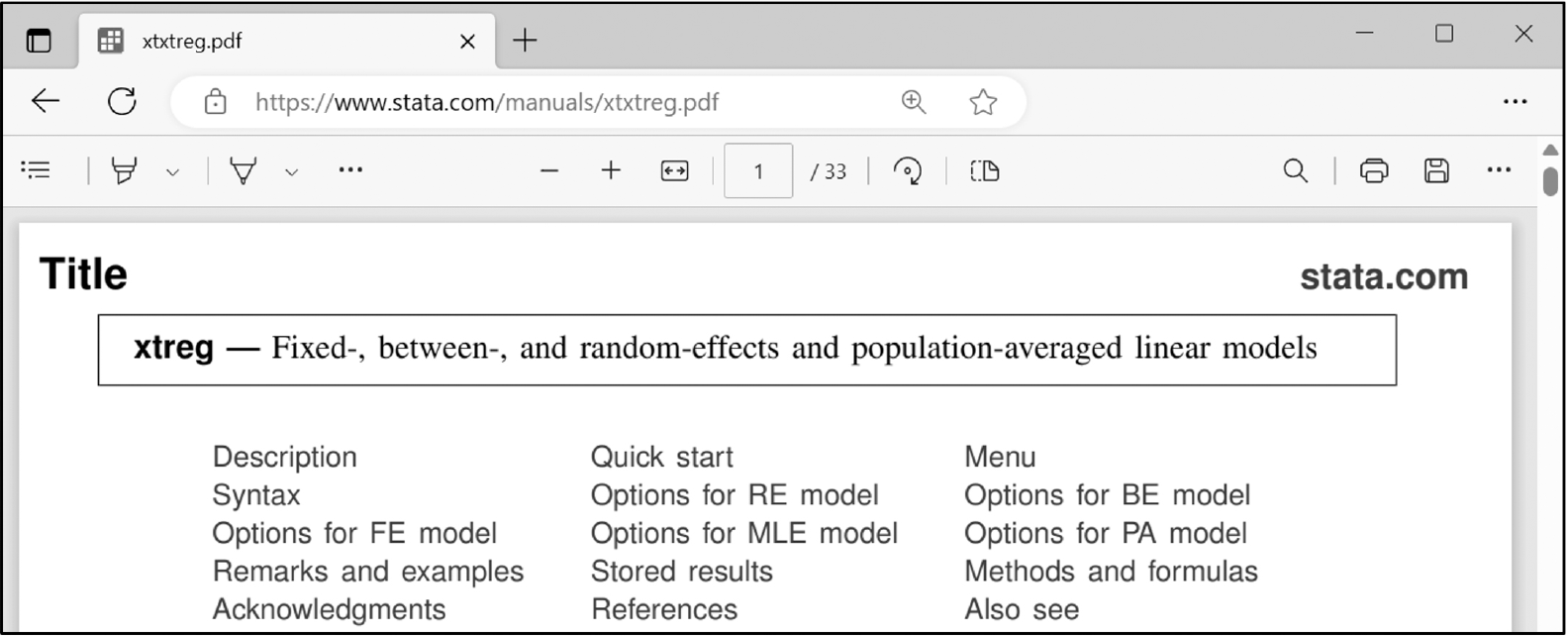
Open PDF documentation via
Now we add the

This command will open a simple online help file that concisely describes the syntax of
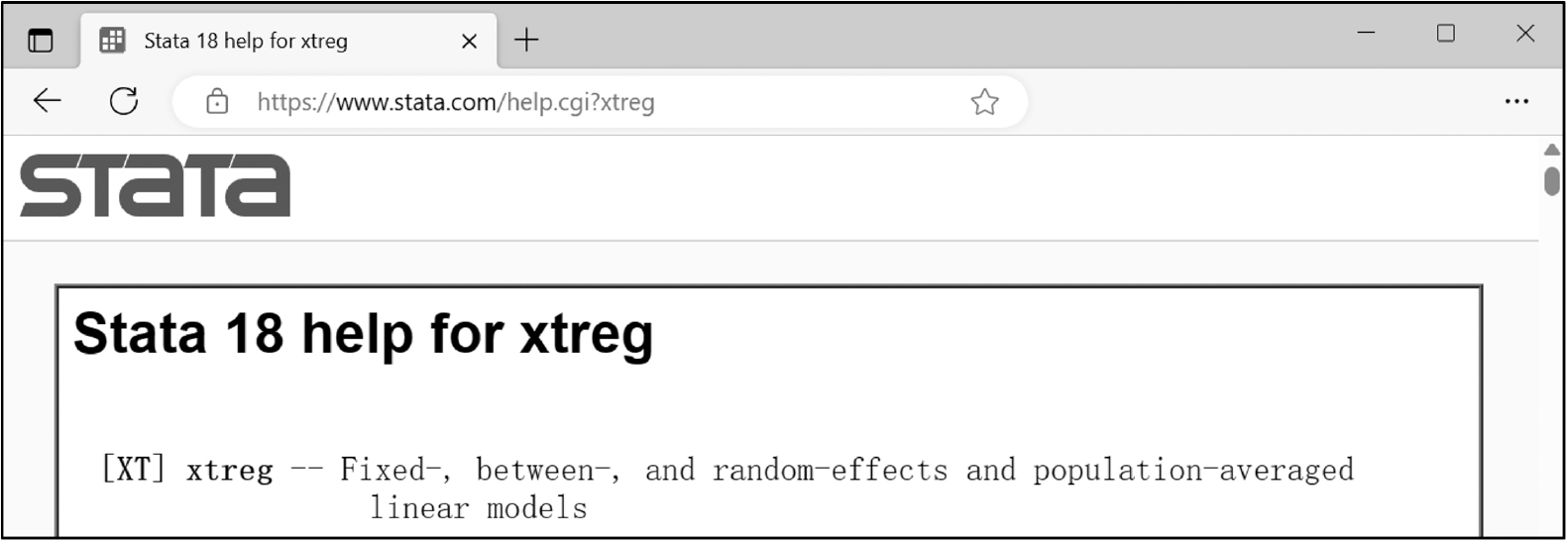
Open online help file via
2.3 Citing with various formats
To enhance the convenience of citation, the
In practice, there are numerous scenarios in which a Stata command might be referenced. For example, references in the Stata Blog are frequently seen but seldom hyperlinked to online help files or PDF documentation, as shown in the following excerpt from Balov (2022): Quarterly observations on real GDP, measured in billions of dollars, are obtained from the Federal Reserve Economic Data repository using the
References in the Stata Journal also lack hyperlinks to online help files or PDF documentation, as shown in the following excerpt from Cox (2022): One more step in technique yields many useful results. The step is to use
In other resources, such as Stata manuals and textbooks, referencing Stata commands is also necessary. However, the lack of hyperlinks prevents users from accessing related information independently of Stata.
With

The text is automatically copied to the clipboard and appears as a clickable link when pasted into Markdown. It looks like this:

It can be copied to the dialog box of Facebook or WeChat for Chinese users.

When users press Ctrl+V in Microsoft Word, the text will appear as a clickable link. It looks like this:

It can be inserted into a

It can be inserted into a
Note that because

Below are examples of
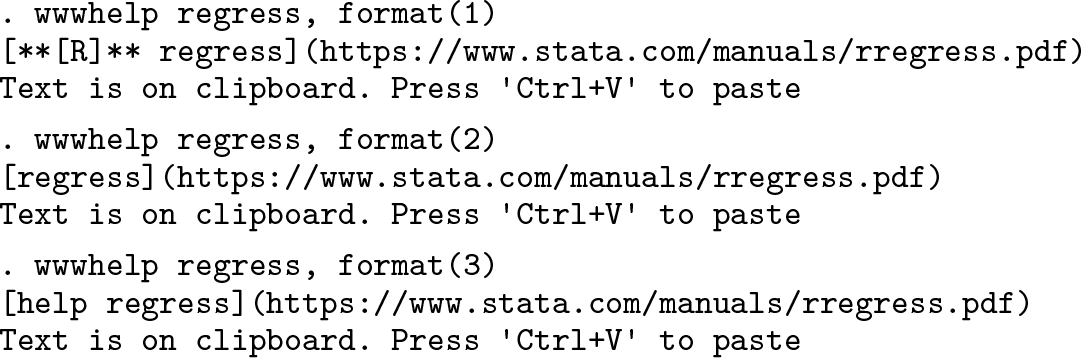
All the above are web links to the online PDF documentation.

2.4 Special cases
There are some special cases in using the
Multiple keywords
Some help files require multiple keywords to be uniquely identified. The basic syntax structure is category+keyword, such as the graph class (
Sections
For long documents, users can usually locate a particular section in the document using the command
Command abbreviations

3 Conclusions
This article introduced
5 Programs and supplemental material
Supplemental Material, sj-zip-1-stj-10.1177_1536867X241233676 - Browse and cite Stata manuals easily: The wwwhelp command
Supplemental Material, sj-zip-1-stj-10.1177_1536867X241233676 for Browse and cite Stata manuals easily: The wwwhelp command by Yongli Chen and Yujun Lian in The Stata Journal
Footnotes
4 Acknowledgments
We extend our sincere gratitude to Managing Editor Stephen P. Jenkins, the Stata Press editorial team, and an anonymous reviewer for their invaluable professional advice. Their insights significantly enhanced the functionality of our commands and bolstered the readability of our manuscript.
5 Programs and supplemental material
To install the software files as they existed at the time of publication of this article, type
Notes
References
Supplementary Material
Please find the following supplemental material available below.
For Open Access articles published under a Creative Commons License, all supplemental material carries the same license as the article it is associated with.
For non-Open Access articles published, all supplemental material carries a non-exclusive license, and permission requests for re-use of supplemental material or any part of supplemental material shall be sent directly to the copyright owner as specified in the copyright notice associated with the article.
