




Abstract

Created in 2012, Kaizena (Japanese for ‘continuous improvement’, formerly 121writing) is a web-based application and Google Docs plugin that facilitates the provision of multimodal teacher and peer feedback on student writing. The app was developed by Max Brodie and Edward Sun to provide an online platform for school teachers to make it easy and efficient to give high quality feedback, delineated as information that is timely, personalised, actionable, and continuous (Brodie and Sun, 2015). Underscoring Kaizena is a philosophical belief that the learning potential of feedback is better realised through the bidirectional, interactive co-construction of knowledge between teacher and learner instead of the often one-way transmission of static, non-negotiable information to students viewed as passive receptacles (Askew and Lodge, 2004). This is realised through an interface that allows users to upload written work to a virtual classroom and provide spoken and written feedback through a continuous, collaborative dialogue. This review provides an overview of the features of the web-based Kaizena app, outlines its potential uses for feedback provision in writing-to-learn (where writing is used as a medium for second language (L2) learning) and learning-to-write (where learners seek to become more proficient writers) English language teaching classroom contexts, and describes some of its affordances and limitations for practitioners and L2 learners.
Kaizena is accessible through an established web browser (although Chrome is needed to install the plugin). Users need only to input an email address and password to register for a free account (or sign in with Facebook or Google) to access the application (https://app.kaizena.com/), the central interactive components of which are groups and conversations. Groups are online locales of registered users, essentially virtual classrooms comprising teacher and learner(s). The initial process of creating groups asks teacher-users to designate a unique name for their group, define its subject area, and select learners’ school grade, indicating Kaizena is targeted at young learners. However, the app's interface is neutral, and instructors can easily select ‘other’ when delineating the subject and age range. Once created, students can be invited to join, either through sharing the group's short unique identifier code on an electronic whiteboard or by adding their email addresses to a form that sends out an invitation link. Interlopers can easily be removed through the group settings function.
The functionality of the Kaizena app where group members can view, upload, and comment on written work is called a conversation. Aside from a default that includes every group member, conversations can be created containing one or multiple learners, enabling them to be grouped together in various configurations for peer feedback purposes or to work alone with the teacher. Conversations constitute a continuous thread where teachers and students can interact over an uploaded composition. Once a document has been added to a conversation (Word, PDF, PowerPoint, image files, and Google Docs files are compatible), it is displayed along with the accompanying thread as a scrolling left-hand sidebar. Kaizena offers four comment options for feedback: text, voice, lesson and skill. For practitioners seeking to offer corrective feedback in writing-to-learn contexts, errors can be elaborated through a text comment in the thread linked to a highlighted word or phrase to aid learner noticing and understanding (shown in Figure 1).
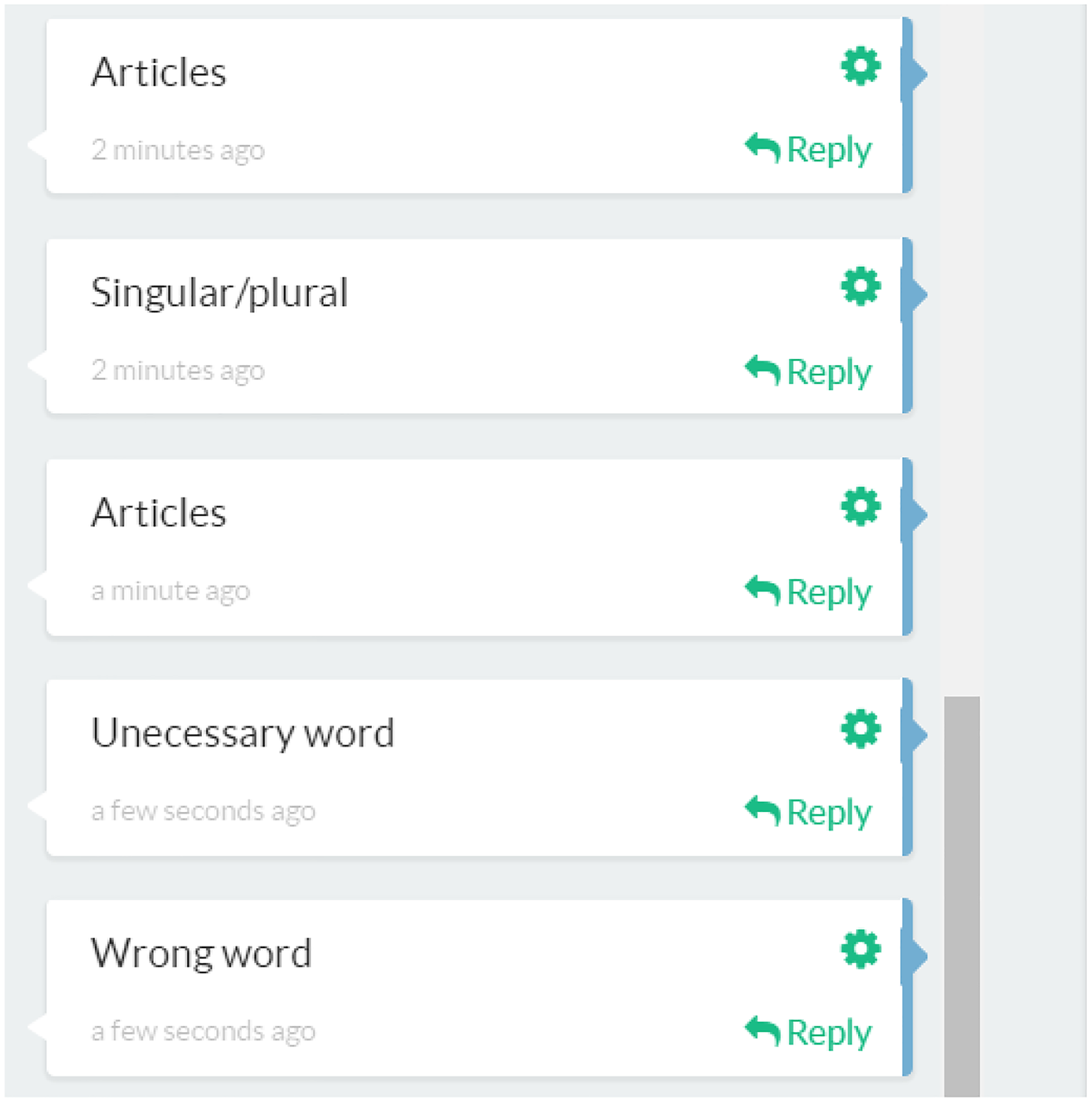
Screenshot of indirect metalinguistic feedback in Kaizena.
As in paper-based feedback, a simple reformulation can be provided, suitable for untreatable errors. Alternatively, comments may be written using a metalinguistic code to guide the learner in error resolution through cognitive problem solving (requiring the location of the error to be identified). Using the reply function, the student can suggest a resolution (without redrafting the text) or request further information. For teachers, replies provide an efficient way to outline the correct response. To avoid repeating feedback messages across students’ work, teachers can devise lessons linked to salient or recurring textual issues. Essentially, these comprise longer-form comments (which may contain links to videos or websites) that learners can consult for further comprehensible input on a feature of L2.
In learning-to-write settings involving syntactically and semantically complex content-focused written feedback (e.g. academic writing, English for specific purposes), teachers can draw on the app's multimodal feedback capabilities. Textual comments and replies allow the teacher and learner to co-construct a joint feedback dialogue (Figure 2), promoting greater interaction, clarification, and negotiation that may better facilitate learner understanding of the teacher's intended meaning or identification of a suitable revision strategy. Nevertheless, much depends on the way comments are written and how the teacher frames response expectations (Uscinski, 2017). The ability to record voice comments allows the teacher to provide a fuller context for content-focused commentary and explain how he/she reacts to and interprets the student’s writing as reader. Additionally, voice comments may appeal to weaker learners who struggle to decipher feedback messages embedded in complex written language.
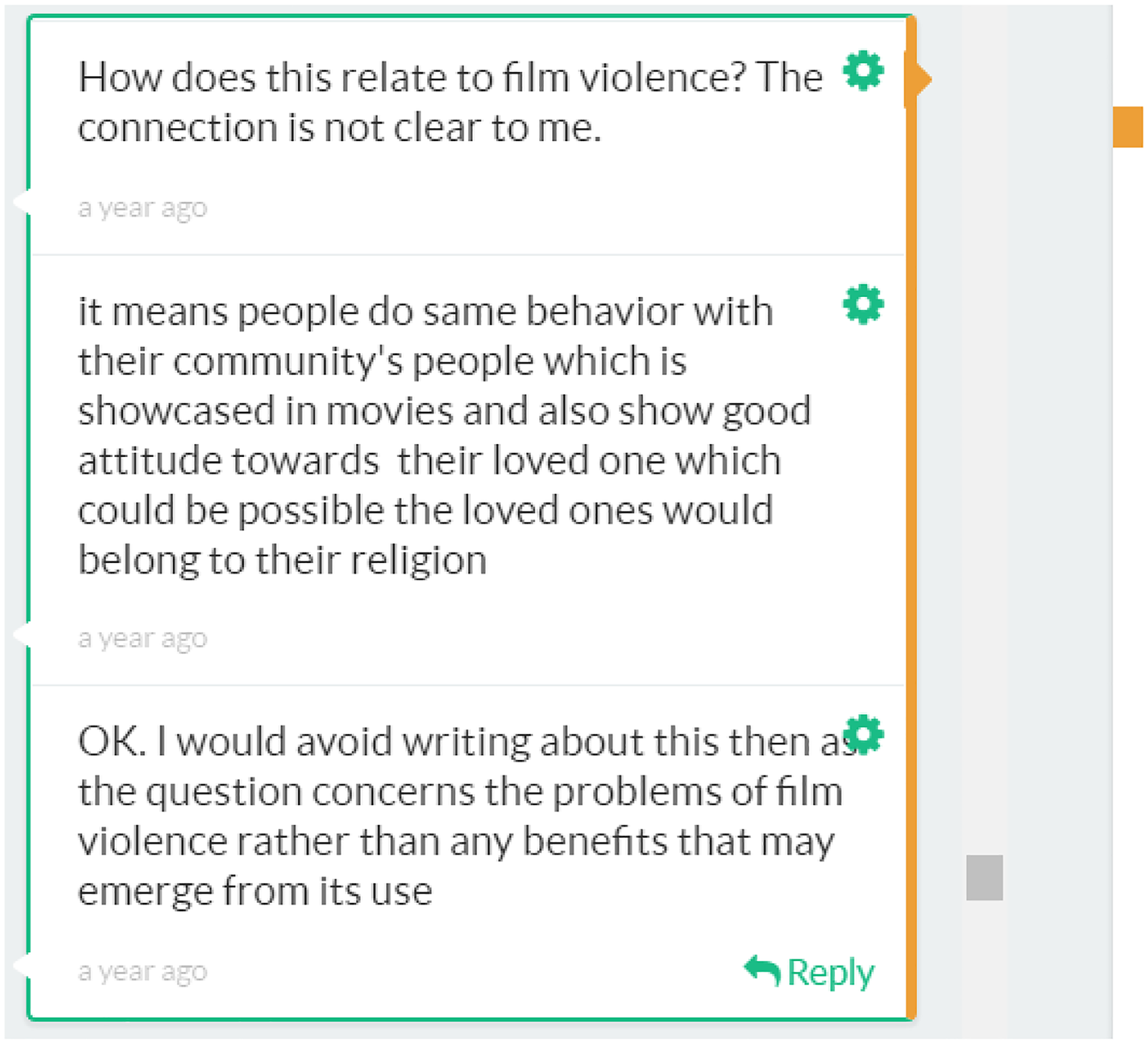
Screenshot of bidirectional written feedback exchange.
Especially useful in learning-to-write contexts, the skill function offers teachers (and peers) a way of assessing discrete characteristics of a composition. Prior to feedback, the teacher delineates the skills being assessed and defines performance at a number of different levels, illustrated in Figure 3. Once established, salient features of the text can be highlighted and written performance according to the scale designated with a few clicks. This functionality lends itself well to criterion-referenced assessments of written texts, such as rehearsal writing for the International English Language Testing System, or Test of English as a Foreign Language preparation purposes. However, the pedagogical merits of this capability depend largely on the clarity in which the scales are defined and how they are communicated to learners. Teachers can send out comments to all conversations through the broadcast function, useful for issuing instructions or providing general feedback points to the whole class.
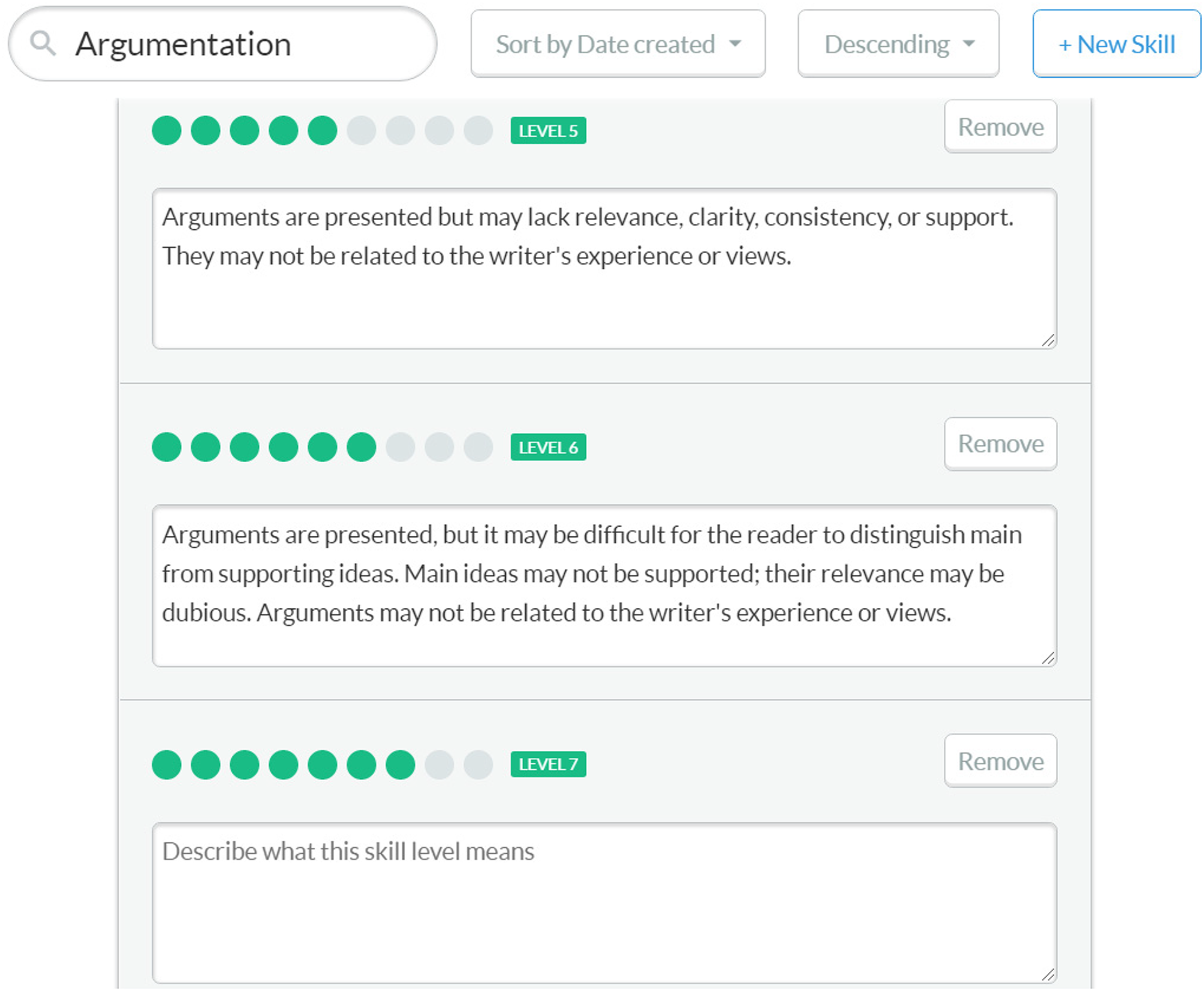
Screenshot of defining a sample skill (argumentation).
There are limitations to the app, which could be resolved through further development. Comments are arranged according to when they are input chronologically rather than their order across the text. Additionally, the sidebar can become overwhelming once many comments have been made, making it difficult for users to locate a specific feedback point. If textual revisions are necessary, learners need to open the original document and Kaizena simultaneously (requiring Internet access). However, this encourages greater engagement through focusing students’ attention on the presented comments, compared with feedback conveyed through Word's Track Changes, which may be incorporated without any cognitive processing (Uscinski, 2017).
A premium version (Kaizena Progress) is available as a monthly subscription (US$10 for individuals, from US$25 for institutions), offering additional functionality, such as voice comments of up to 10 minutes, unlimited lessons, and the ability to track student progress across skills. Visit https://www.kaizena.com/kaizena-progress for more details. Kaizena provides support to novice users through a comprehensive range of ‘getting started’ and troubleshooting guides that feature clear instructions supported by visuals and video clips embedded from YouTube (see https://help.kaizena.com).
Footnotes
Declaration of Conflicting Interests
The author declared no potential conflicts of interest with respect to the research, authorship, and/or publication of this article.
Funding
The author received no financial support for the research, authorship and/or publication of this article.
