



Abstract

Introduction
Synthesis of compound libraries via parallel or combinatorial synthesis requires the weighing and formatting of a large number of chemical reagents. Accurate reagent concentration determines the efficiency of the reactions. The structural information contained within the reagent vial barcode also translates into structural information for the product when liquid handling robots are utilized. It is therefore critical that structural and concentration related parameters be derived directly from the reagent database and encoded in the barcode with no human manipulations.
The searching, weighing, and recording of structure and weights directly from the database is a labor intensive and error-prone process. There are tools and instruments in the market that can individually perform these tasks. However, none integrate all the components (balance, scanner, printer and database) together as a single automated weighing workbench.
We have developed an automated weighing workbench that eliminates the potential for human errors, reduces the time it takes to weigh a reagent, and tracks the reagents through a live connection to a database.
Objectives
Facilitate library preparation by integrating hardware (balance, barcode scanner and printer, liquid handling robot) with reagent database
Allow rapid and efficient weighing and formatting of reagents
Eliminate potential for structural and volumetric errors
Reagent Formatting in Library Synthesis
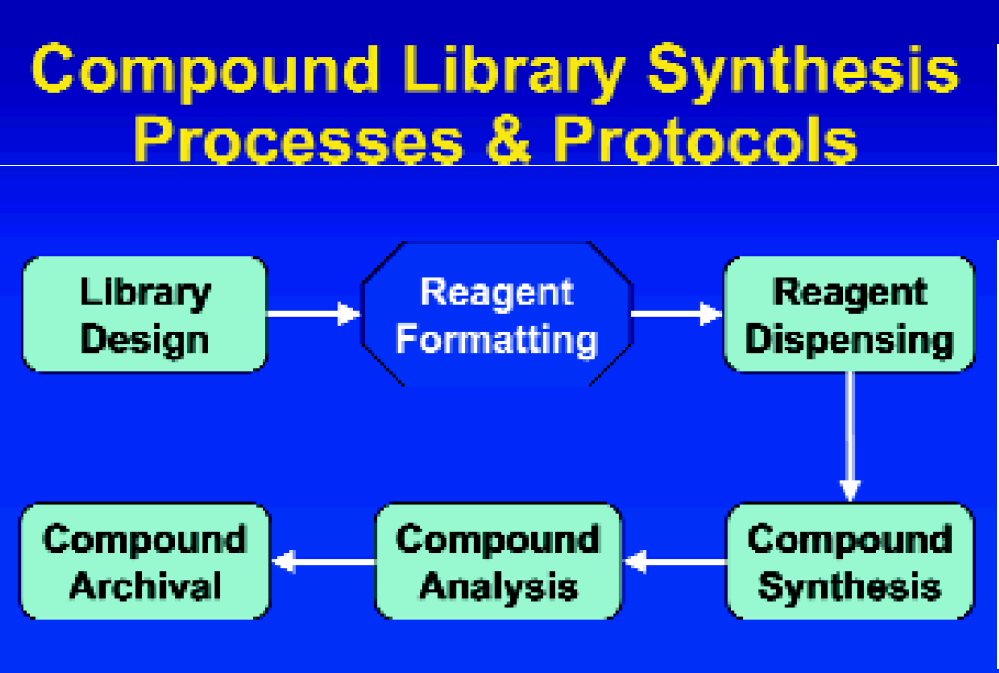
Reagent Formatting Using Dynamic Weighing Application (DWA)
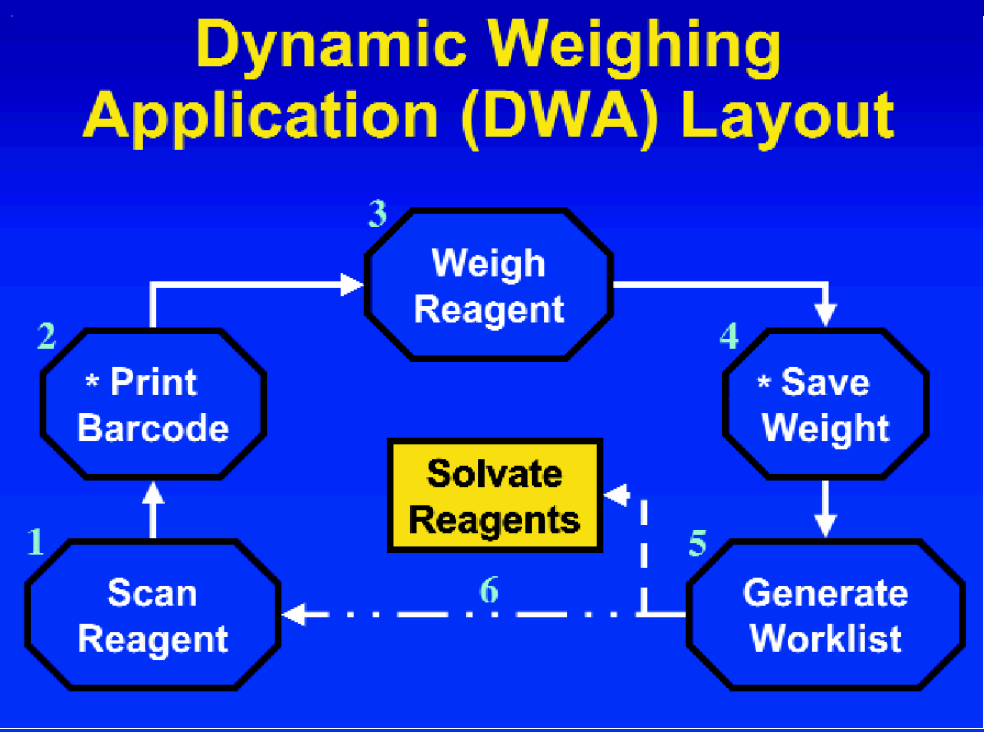
Refer to Figure 2.
Scan Reagent
Scanner reads the barcode on the reagent bottle Opens appropriate reagent file in the database
Extracts formula weight of the reagent Prints out a barcode corresponding to the inventory number for the reagent Advantages:
Ensures that the source barcode (reagent bottle) is the same as the destination barcode (reagent vial)
Print Barcode
Prints the appropriate barcode for the reagent vial
Barcode affixed to the reagent vial Information from reagent database directly encoded in the barcode
Structure Formula weight
Tare Vial & Weigh Reagent
Tare the barcoded reagent vial The calculated weight allows for a flexible target weight range on the balance
Balance has SmartSens - Automatic door opener Allow for hand-free operation
Save Weight
Save weight in file when weight is stable The volume to be added to the vial to achieve desired reagent concentration is calculated based on the actual weight transferred from reagent bottle
Generate Worklist
A worklist is generated
Contains all the barcode numbers and the corresponding volumes
Solvate Reagents
The worklist generated is used on the liquid handling robot to dispense the appropriate volume to the corresponding barcoded reagent vial *Footswitch Operates keyboard entry to allow for “hands-free” maneuvering
Programmed to emulate ‘Enter’ key ‘Print’ barcode Save weight' Advantages:
Keyboard will not be contaminated with reagent residue from gloves Eliminate wide range motion between the keyboard and balance
DWA User Interface
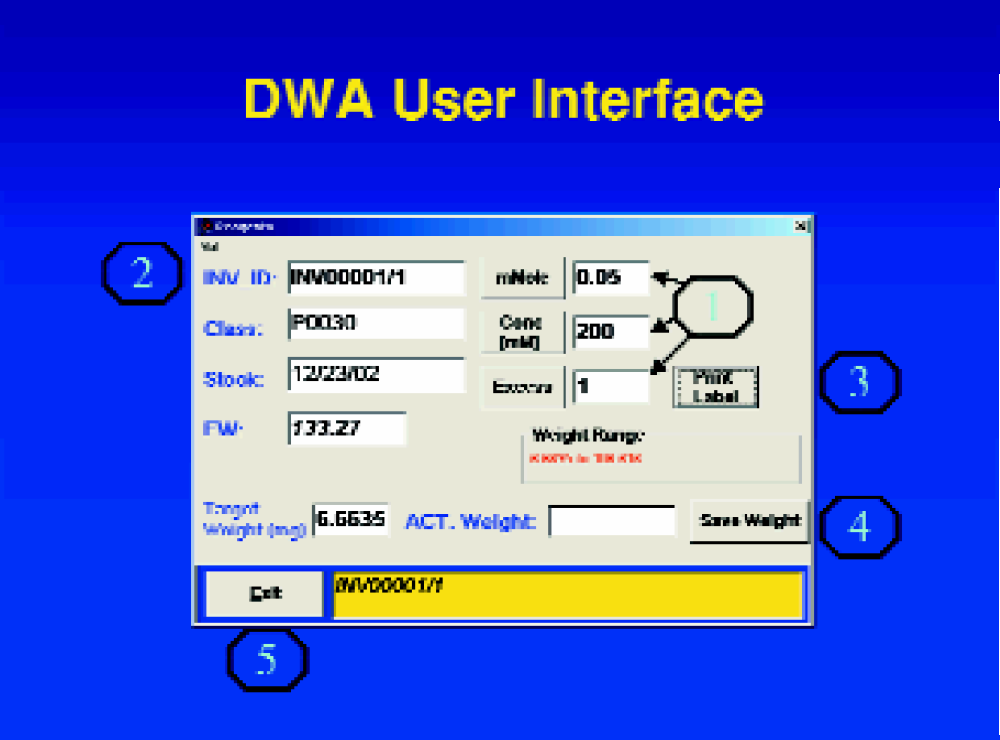
Refer to Figure 3.
Reaction scale
Scan or type the barcode on the reagent bottle
Print the appropriate barcode for the reagent vial
Save actual weight into a file
Exit - Close DWA
Preparation of Reagent Solutions to Desired Concentration
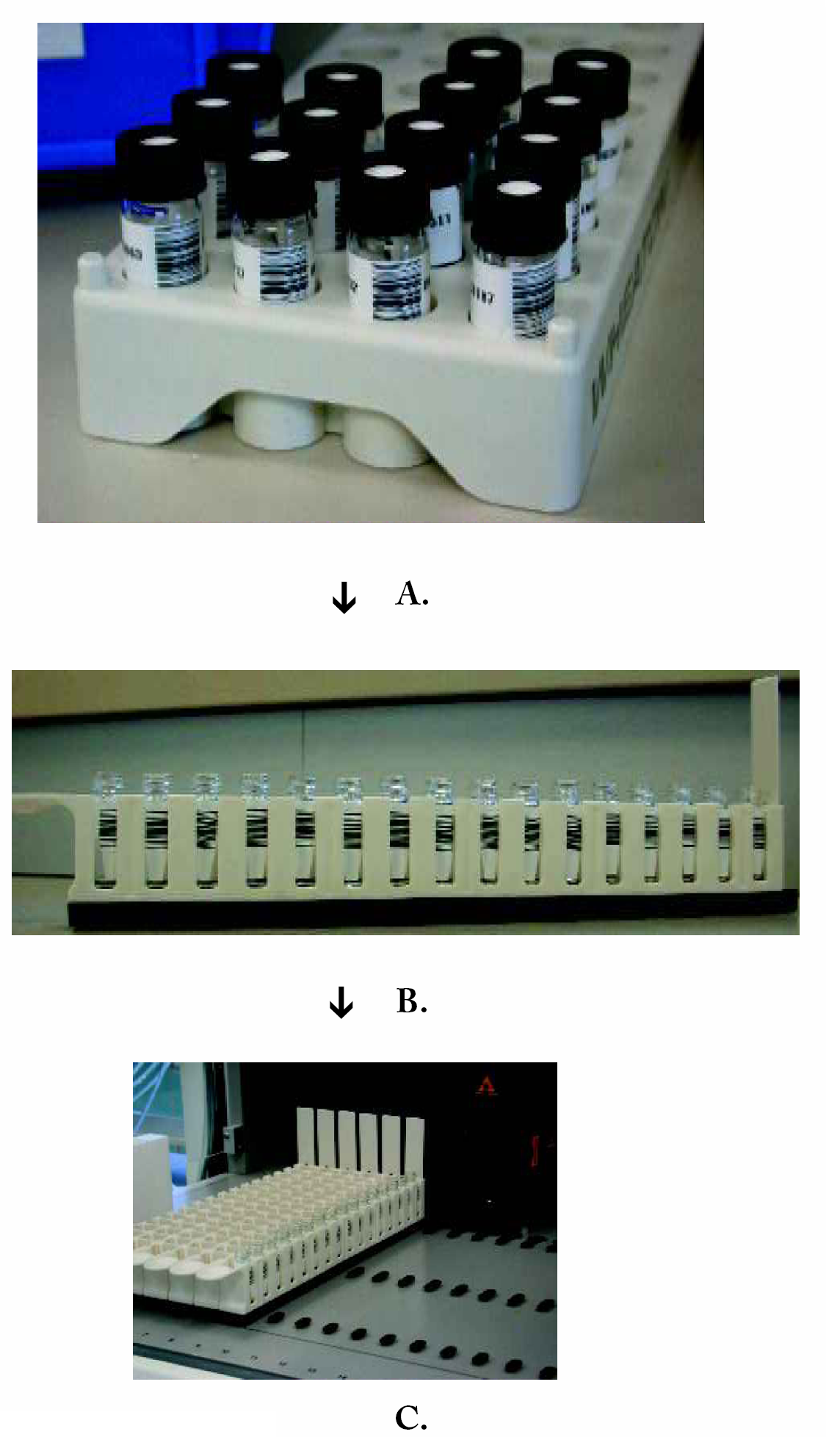
Transfer reagents to the strip rack (Figure 4-A).
Order of reagents is not important!
Place strip rack onto deck (Figure 4-B).
Barcode scanner will electronically “rack” the reagents (Figure 5).
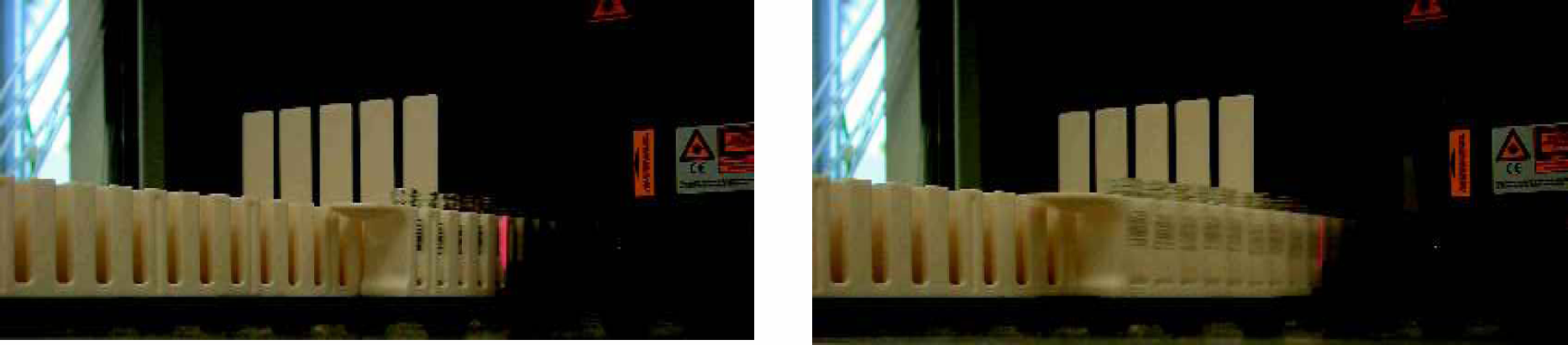
Barcode Scanning
Scanner reads the barcoded vials on the strip racks (Figure 5).
Creates new list and order of reagent vials
Extracts data from robot file corresponding to each reagent
Dispenses solvent volume to attain desired concentration for reagent
Variable volume added to each reagent (depending on actual weight in vial)
Advantages
Has live connectivity to the reagent database
Structure and related data are queried in real time
Allows for rapid substitution of incompatible reagents
Records actual weight of the reagent in the vial from the touch of a footswitch
Automatically calculates the volume needed to achieve the desired concentration
Automatically generates a file to be used by the liquid handler
Generates barcode for the target vial that matches barcode information in the database
Reagents can be placed in random order on the liquid handling robot deck
Scanner creates electronic list through barcode scanning
Footnotes
Acknowledgments
We thank Edward Marples for contributing ideas to the program and Diem Vo for IT support.